Python Programming I
Senior 4 · ICT
Python Programming I
Lesson 2 of 5
25 min
A coffee cooperative in Nyamasheke weighs each farmer's red cherries, pays a price per kilogram and keeps a small fee for running the washing station. The clerk does the same three calculations for every farmer, all day. In this lesson you will write that program in Python: it asks for the weight and the price, works out the payment, the fee and what the farmer takes home, and prints a clear receipt. (The price and fee in this lesson are illustrative.)
Definition
Variable (in Python): a name that refers to a value, created the first time a value is assigned to it with =, as in price = 420.
Data type: int (whole number), float (number with a decimal point), str (string of text), bool (True or False). type(x) tells you the type of x.
Function: a named piece of code you call with brackets, giving it arguments; many functions return a value, as len("Rwanda") returns 6.
Keyword: a word reserved by Python, such as if, while, True or and, which cannot be used as a variable name.
Python works out each variable's type from its value; you never declare it. Press Run to see the four values and their types. In Python, = is assignment (the ← of pseudocode); a comparison uses ==.
A name may contain letters, digits and underscores, must not start with a digit, must not be a keyword, and is case-sensitive (Price and price are different). Python's style guide, PEP 8, recommends lowercase words joined by underscores: net_payment, days_late. Choose names that say what the value means: kilograms, not k.
| Operator | Meaning | Example | Result | Pseudocode |
|---|---|---|---|---|
| + − | add, subtract | 52500 − 2625 | 49875 | + − |
| * | multiply | 125 × 420 | 52500 | * |
| / | divide (always gives a float) | 17 / 5 | 3.4 | / |
| // | floor division (whole part) | 17 // 5 | 3 | DIV |
| % | remainder (modulo) | 17 % 5 | 2 | MOD |
| ** | power | 2 ** 10 | 1024 | ^ |
Precedence: brackets first, then **, then * / // %, then + −. Shortcuts: total += 5 means total = total + 5; likewise -=, *=.
Worked example 1: evaluate as Python does
(a) 2 + 3 * 4 ** 2: power first, ; then ; then .
(b) (2 + 3) * 4: brackets first: .
(c) 135 // 60 and 135 % 60: , so 2 and 15: 135 minutes is 2 h 15 min.
(d) 7 // 2 * 2 + 7 % 2: 7 // 2 is 3, times 2 is 6; 7 % 2 is 1; total 7. For any whole numbers, (a // b) * b + a % b gives back a.
Run it to check worked example 1. Notice that / gives 3.4 while // gives 3.
Text goes in single or double quotes. + joins strings (concatenation), * repeats a string, and len() counts its characters: "Kigali" + " " + "City" gives "Kigali City", "=" * 10 gives ten equals signs, and len("Rwanda") is 6. A string and a number cannot be added: "Age: " + 16 is a TypeError; write "Age: " + str(16) or use a comma in print.
input("prompt") shows the prompt, waits for the user to type and press Enter, and returns what was typed as a string, even if it looks like a number.
So convert before calculating: int(input(...)) for whole numbers, float(input(...)) for decimals. str(x) converts the other way.
print(a, b, c) separates items with a space and ends with a new line. Two optional arguments change that: sep sets the separator and end what is printed at the end, e.g. print("08", "45", sep=":") prints 08:45.
An f-string puts values straight into text: write f before the quotes and the expression in curly brackets. A format code after a colon controls the look: f"{net:,.0f}" prints 49875.0 as 49,875 (comma for thousands, 0 decimal places), and f"{1 / 3:.2f}" prints 0.33.
Press Run and type, for example, Mukamana, 125 and 420. The program prints a payment of 52,500 Frw, a fee of 2,625 Frw and 49,875 Frw to pay. The name is kept as a string; the two numbers are converted with float() because weights and prices can have decimals. FEE_RATE is written in capitals to show it is meant as a constant.
Worked example 2: the "2 + 3 = 23" bug
a = input("First number: ")
b = input("Second number: ")
print("Sum:", a + b)
With inputs 2 and 3 this prints Sum: 23. Why? Both values are strings, and + joins strings. It is a logic error: no message, wrong answer. Fix: a = int(input("First number: ")) and the same for b; now a + b is 5. If the user then types 2.5, int() raises a ValueError; use float() when decimals are allowed.
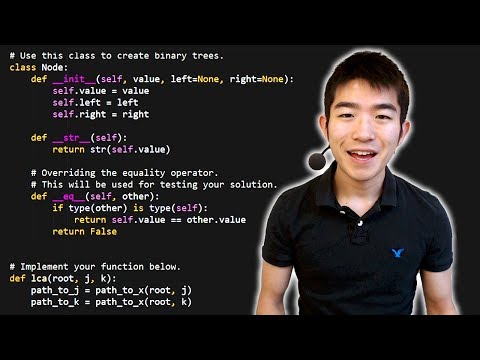
CS Dojo: Python Tutorial for Absolute Beginners #1, What Are Variables? Watch how a variable is created, changed and printed, and try each example in the code boxes of this lesson.
Warning
input() gives text. Forgetting int() or float() causes either a TypeError ("can only concatenate str…") or a silent wrong answer such as "23".
/ always gives a float. 10 / 2 is 5.0, not 5. Use // when you need a whole number.
Do not reuse built-in names. A variable called print, input or len hides the function of that name for the rest of the program.
Tip
Print the type when in doubt. If a calculation gives a strange result, add print(type(x), x) for each variable involved. Most beginner bugs in this lesson are a string where a number was expected.
Practice
total_marks, 2nd_term, class, Mark, net pay.16, 16.0, "16", False.20 - 4 * 3; (b) 2 ** 3 ** 2 (power works right to left); (c) 23 // 4; (d) 23 % 4; (e) 10 / 4.print("Ha" * 3, len("Muraho"), sep="-") display?age = input("Age: ") and then computes next_year = age + 1. What happens, and how do you fix it?To pay: 49875.0 Frw. Evaluate this output for a farmer and rewrite the print statement to show To pay: 49,875 Frw.2nd_term starts with a digit; class is a keyword; net pay contains a space. total_marks and Mark are valid.HaHaHa-6.s = int(input("Seconds: ")) then print(s // 60, "min", s % 60, "s").length = float(input("Length (m): ")), width = float(input("Width (m): ")), print(f"Area: {length * width:.2f} m²").age is a string and cannot be added to the number 1. Fix: age = int(input("Age: ")).print(f"To pay: {net:,.0f} Frw").Key points
=); Python works out its type: int, float, str or bool. Names use lowercase_with_underscores and cannot be keywords./ always gives a float.input() returns a string: convert with int() or float() before calculating.print() takes sep and end; f-strings such as f"{x:,.2f}" format numbers neatly.Sources and credits
This lesson adapts CC BY-SA material and is shared under CC BY-SA 4.0.
farmer = "Mukamana"     # str
kilograms = 125         # int
price = 420.0           # float
is_member = True        # bool
print(farmer, kilograms, price, is_member)
print(type(farmer), type(kilograms), type(price), type(is_member))print(2 + 3 * 4 ** 2)
print((2 + 3) * 4)
print(135 // 60, "h", 135 % 60, "min")
print(17 / 5, 17 // 5, 17 % 5)# Coffee cooperative receipt (illustrative price and fee)
farmer = input("Farmer's name: ")
kilograms = float(input("Cherries delivered (kg): "))
price = float(input("Price per kg (Frw): "))
FEE_RATE = 0.05 # a constant: 5% station fee
payment = kilograms * price
fee = payment * FEE_RATE
net = payment - fee
print("=" * 30)
print(f"Receipt for {farmer}")
print(f"Payment: {payment:,.0f} Frw")
print(f"Fee (5%): {fee:,.0f} Frw")
print(f"To pay: {net:,.0f} Frw")
print("=" * 30)Quick check
x = input("Number: ") and the user types 7. What is the type of x?