

1.Create your parent account
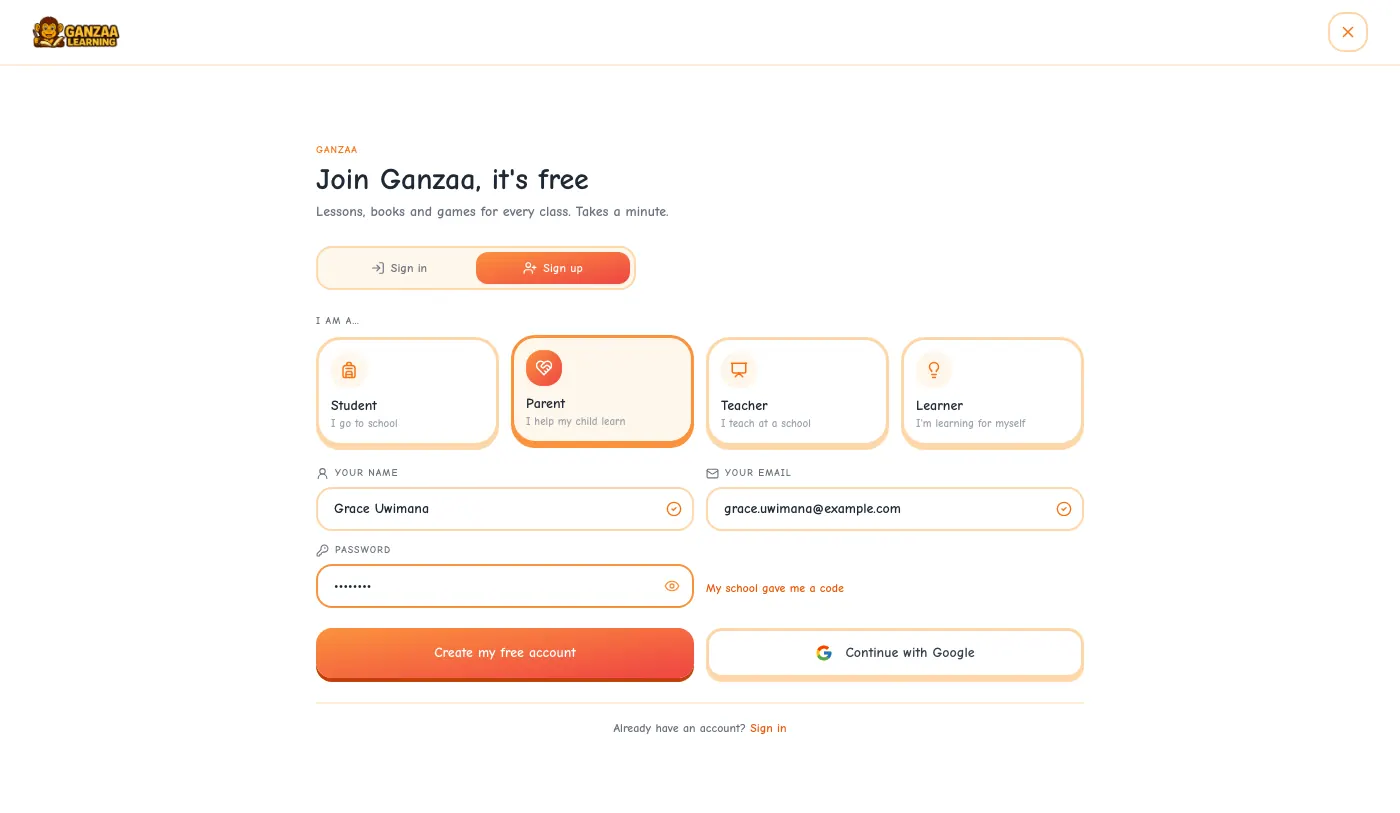
Step 1: Open ganzaa.org, tap Sign In at the top, then choose Sign up.
Step 2: Choose Parent, then enter your name, your email address and a password, and tap Create my free account.
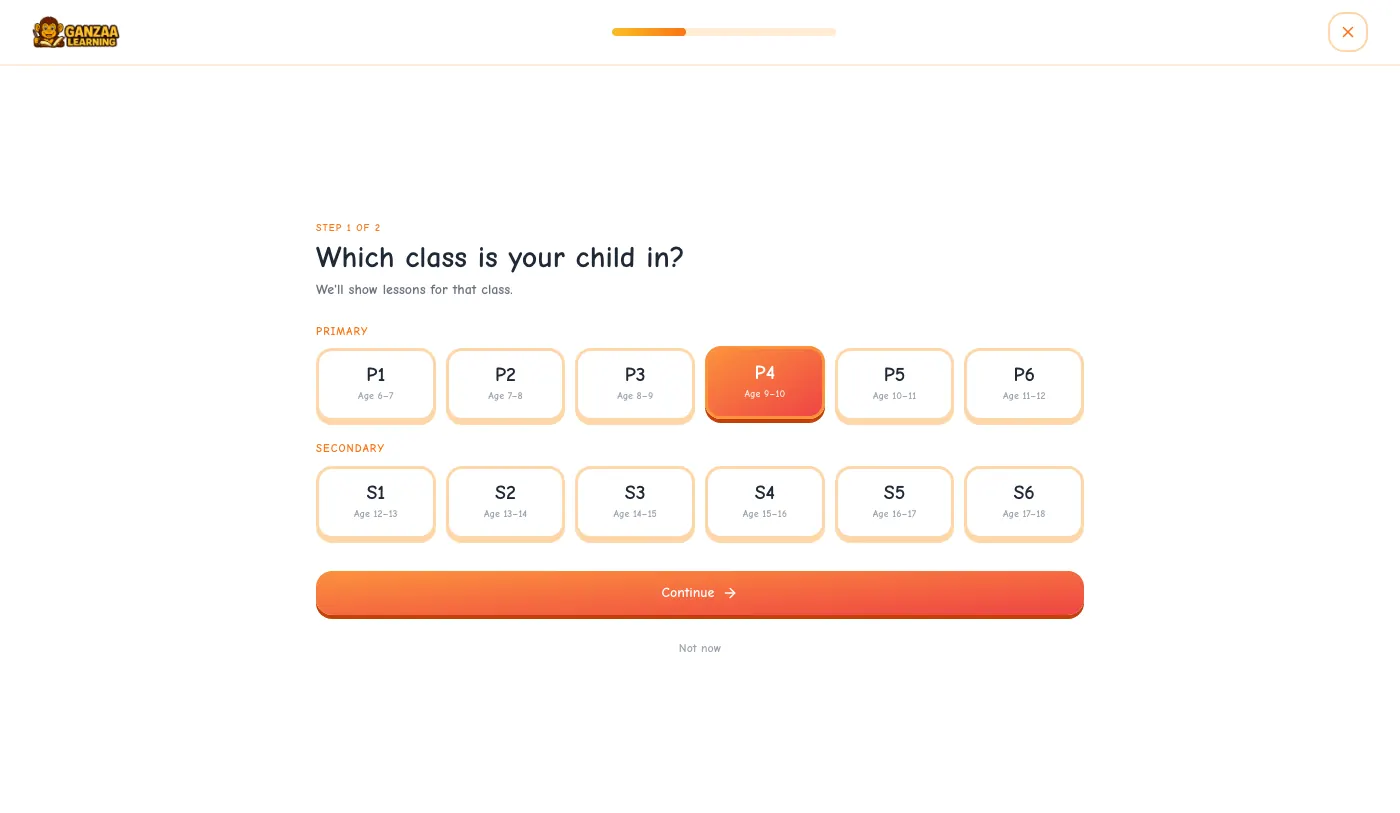
Step 3: Choose your child's class, from P1 to S6, and tap Continue.
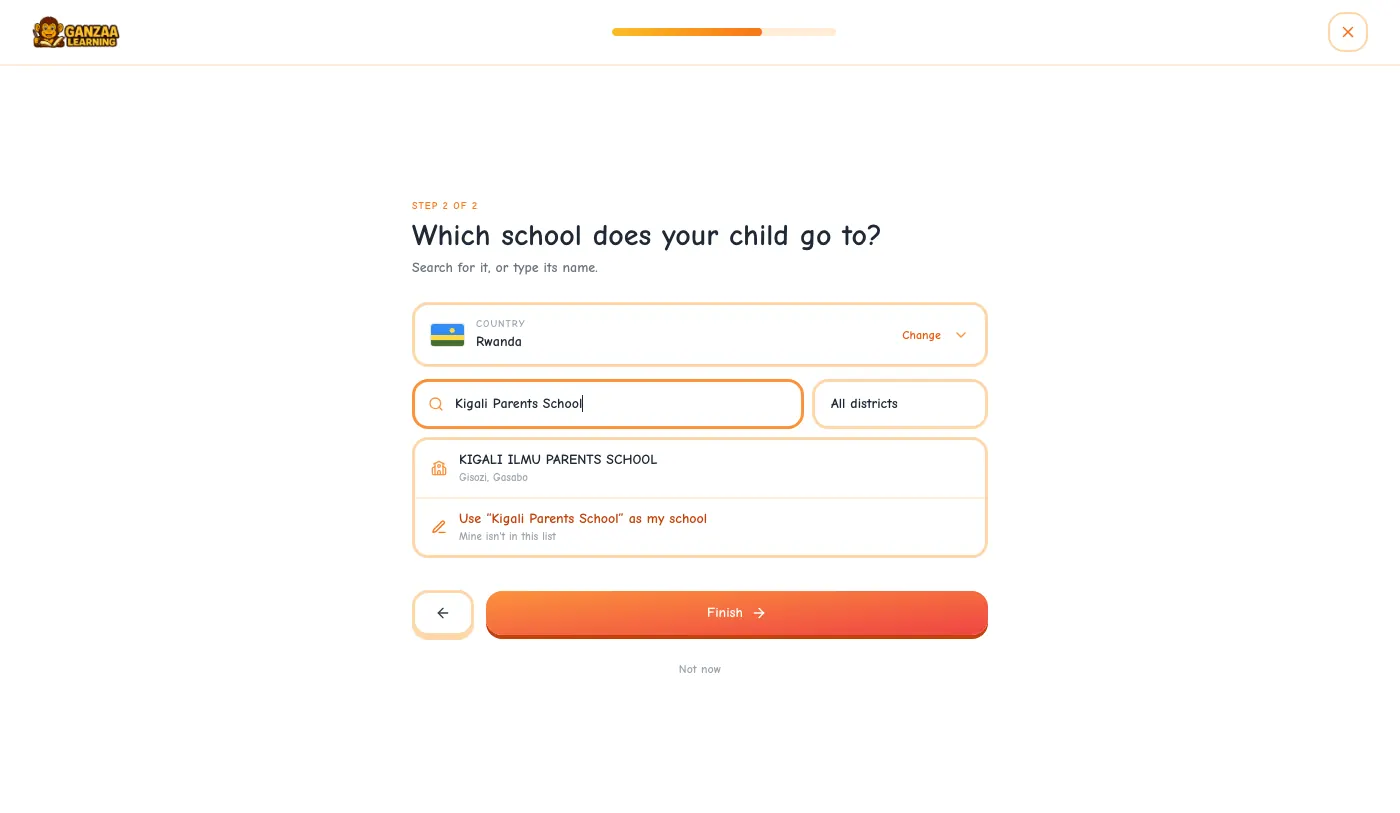
Step 4: Find your child's school, or type its name if it isn't in the list, and tap Finish. Your country is filled in for you; tap Change if it's wrong.
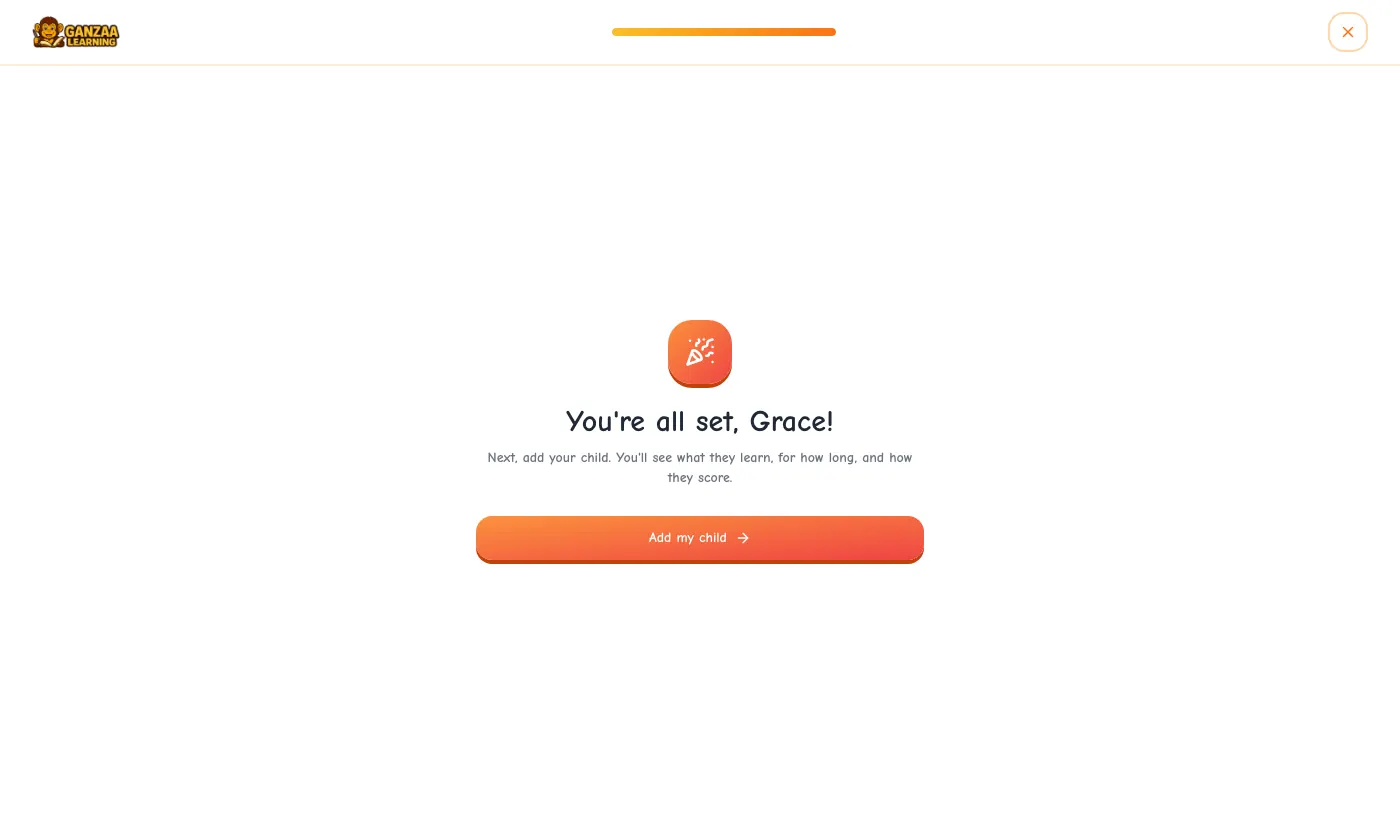
Step 5: Tap Add my child. You arrive on My Children, your home page on Ganzaa.
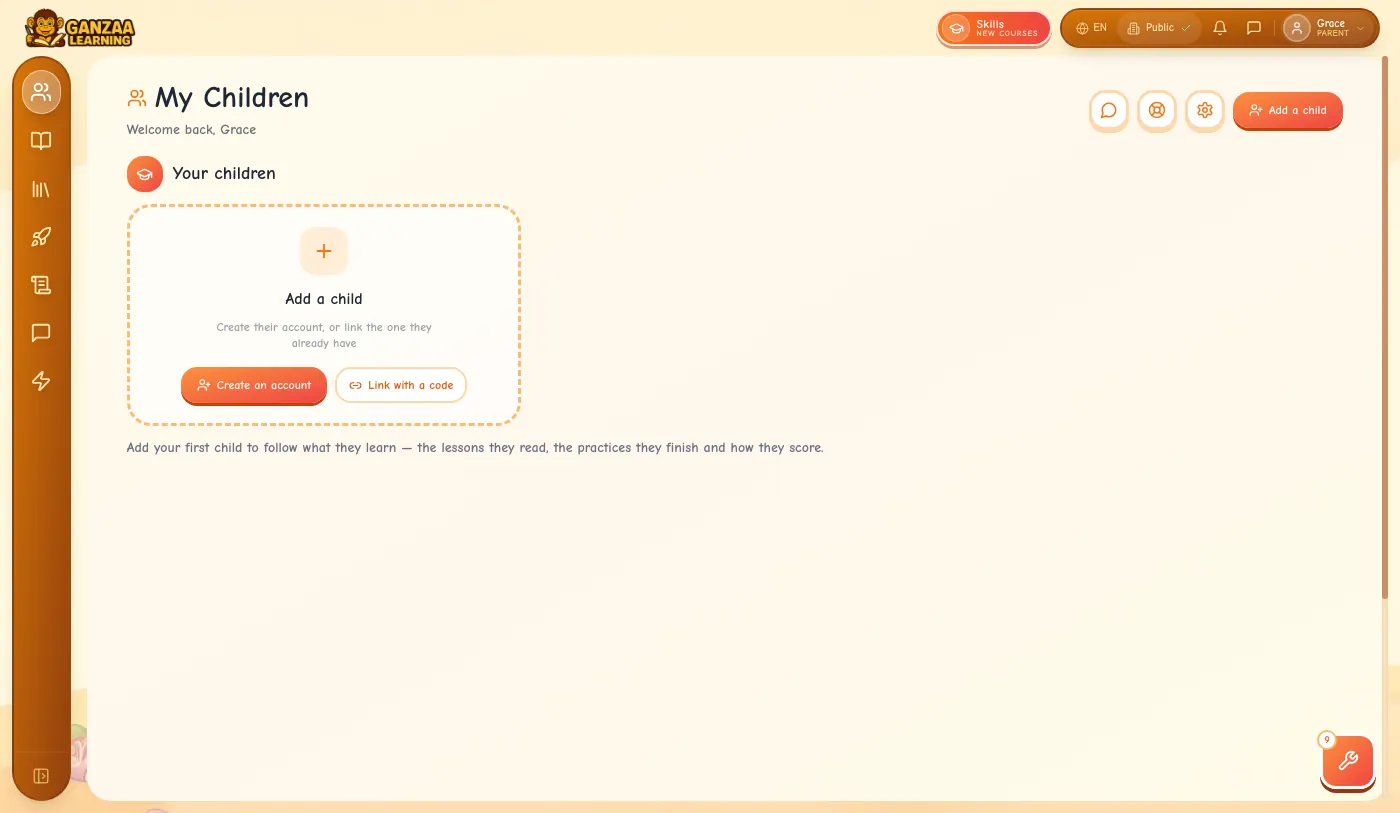
- Already have a parent account? Just sign in. Parents always start on My Children.
2.Add your child
There are two ways, depending on whether your child already has a Ganzaa account. You can add up to 10 children.
If your child has no account: create one
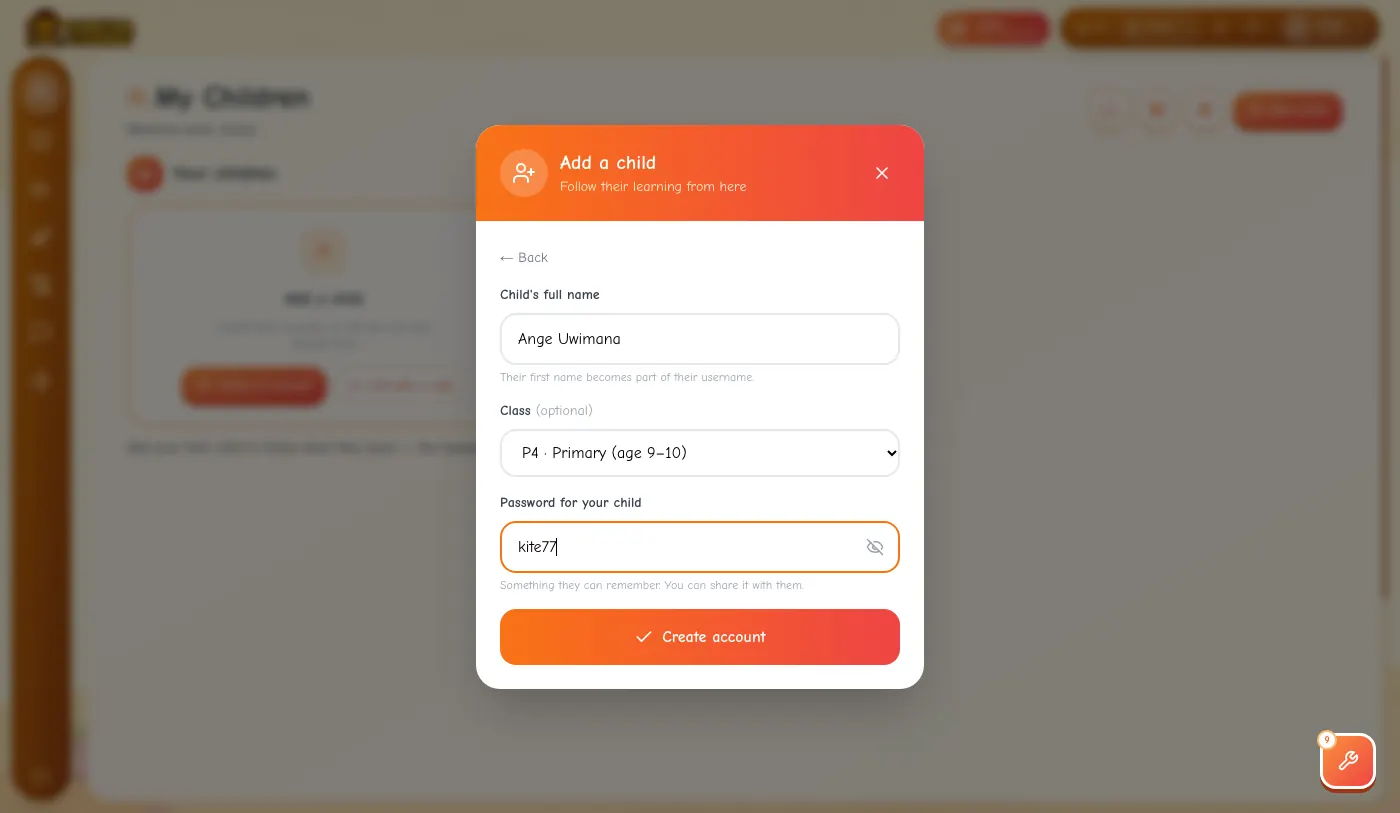
Step 1: On My Children, tap Create an account (or Add a child at the top).
Step 2: Type your child's full name, choose their class, and choose a password for them: at least 4 characters, something they can remember. Tap the eye to see what you typed.
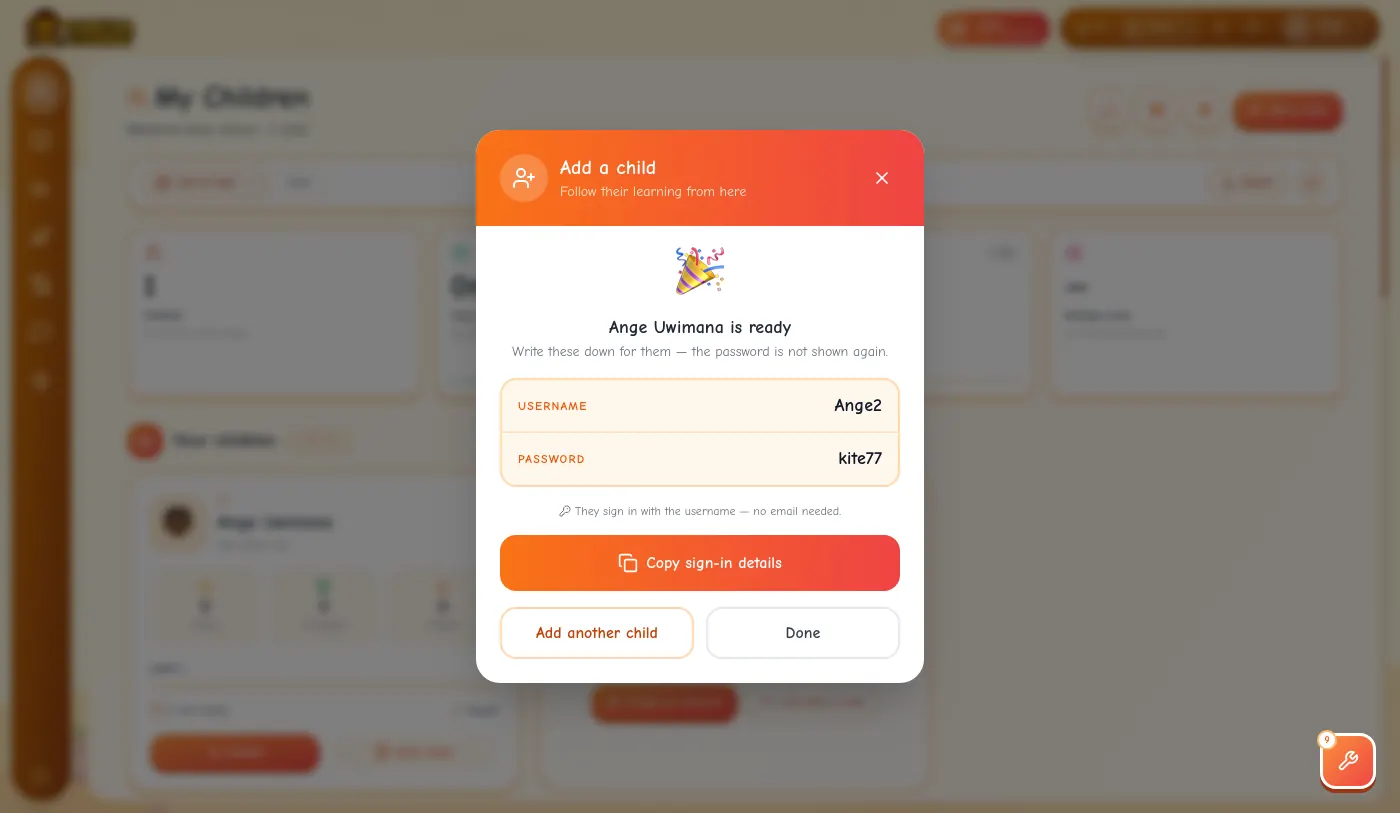
Step 3: Tap Create account. Ganzaa shows your child's username (their first name followed by a number, such as Ange2) and their password. Write them down or tap Copy sign-in details: the password is not shown again.
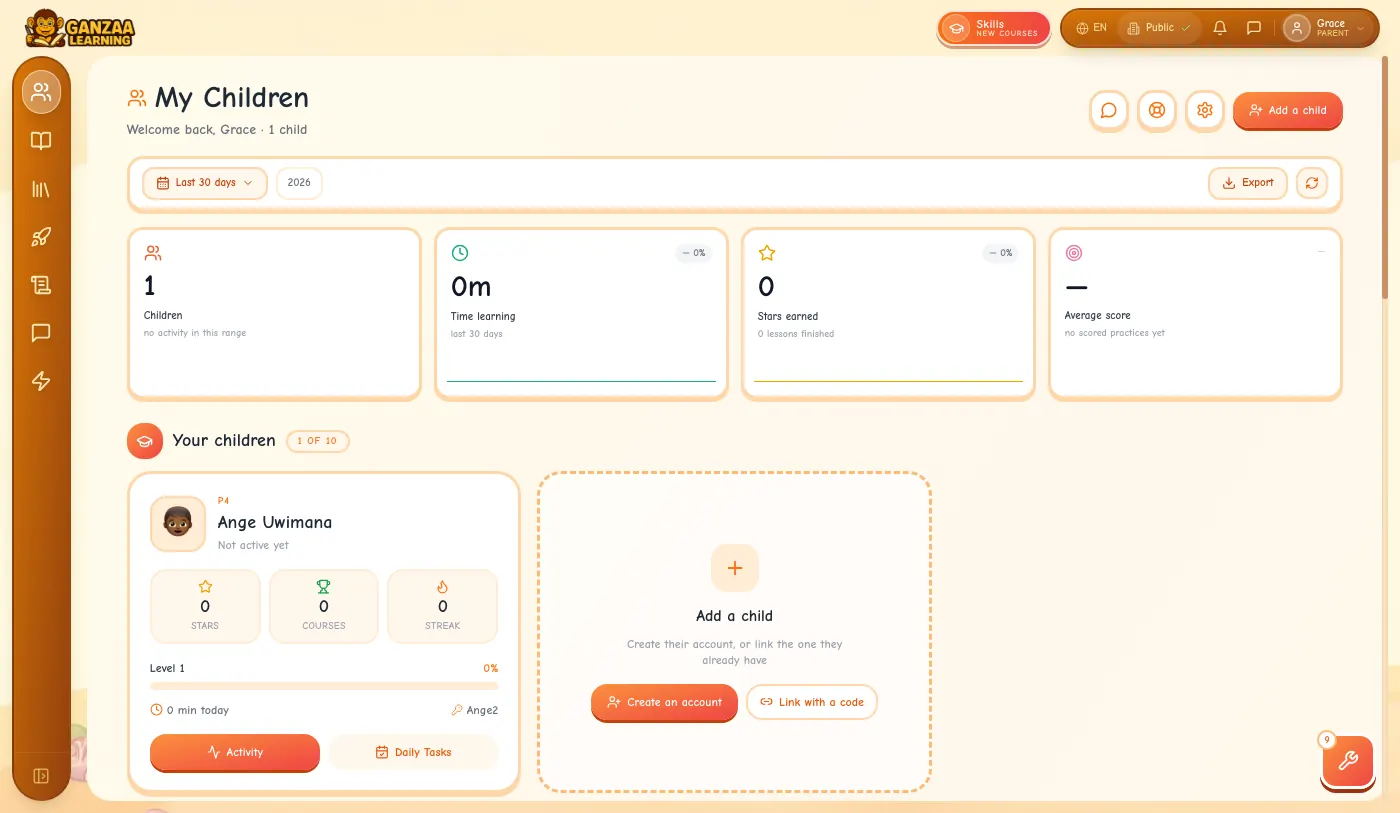
Step 4: Tap Done. Your child's card appears on My Children straight away.
- Your child doesn't need an email address. They sign in with the username.
- Use letters only in the name: the username is built from the first name.
If your child already uses Ganzaa: link their account with a code
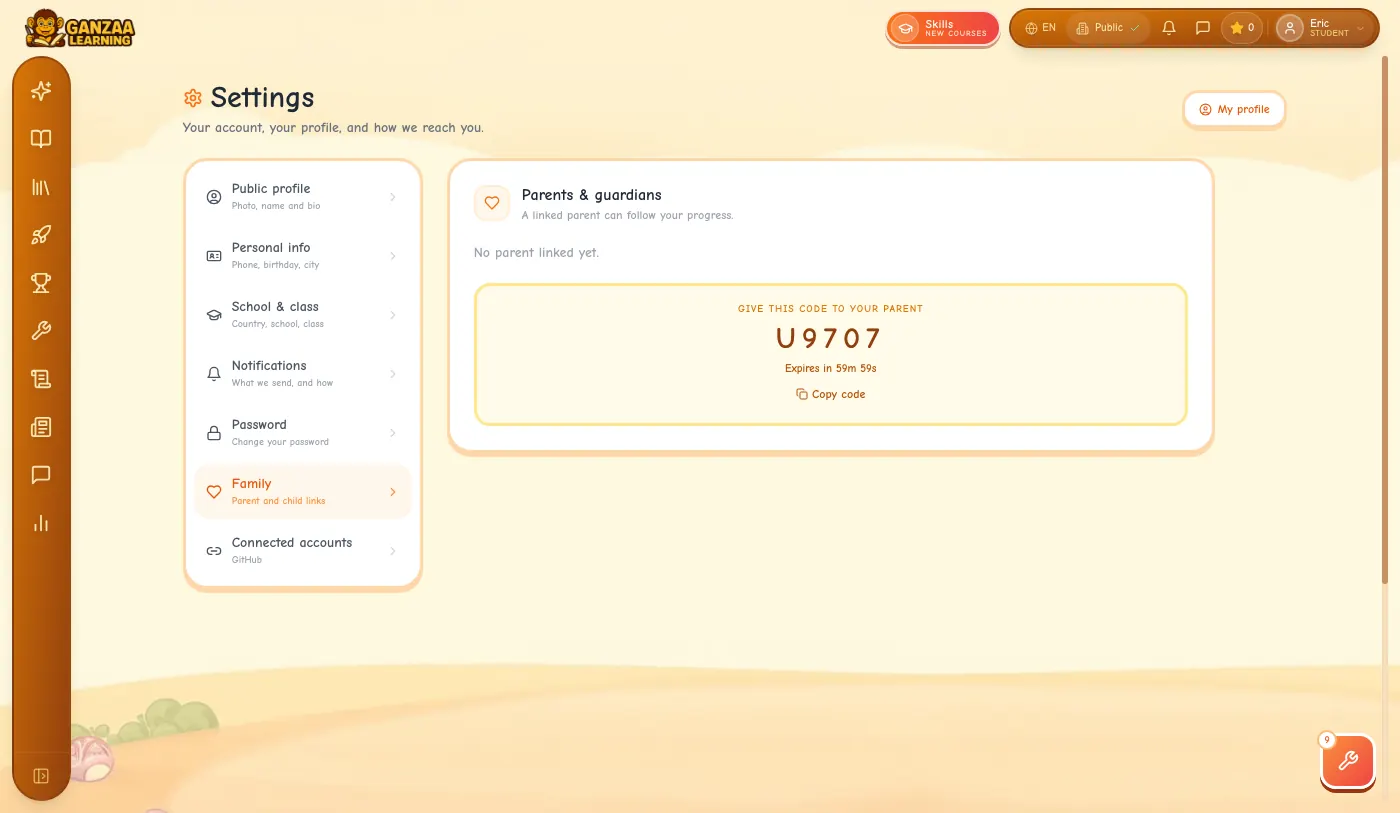
Step 1: On your child's account: tap their picture at the top right, open Settings, choose Family and tap Invite a parent. A code such as G0321 appears. It works for one hour.
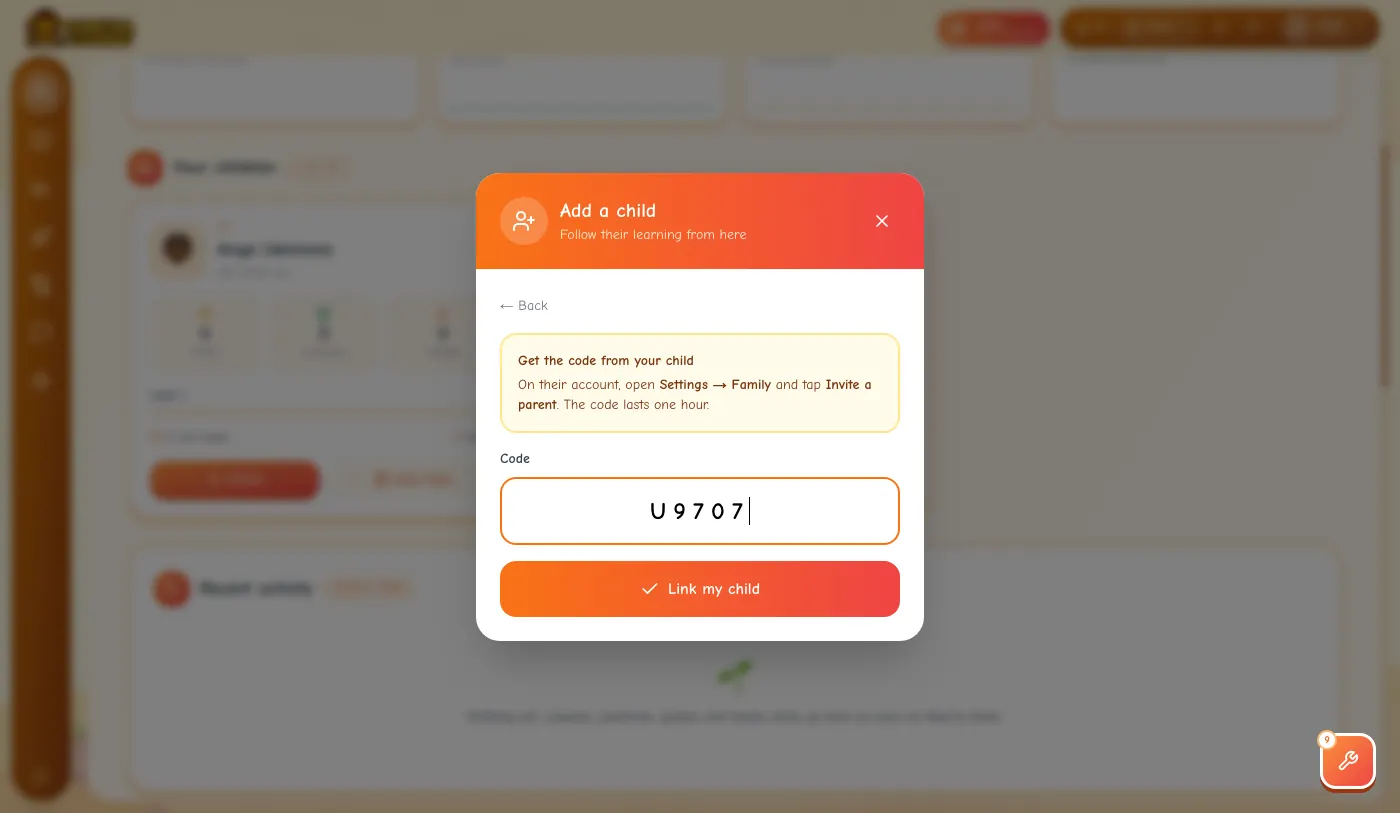
Step 2: On your account: on My Children, tap Link with a code, type the code and tap Link my child.
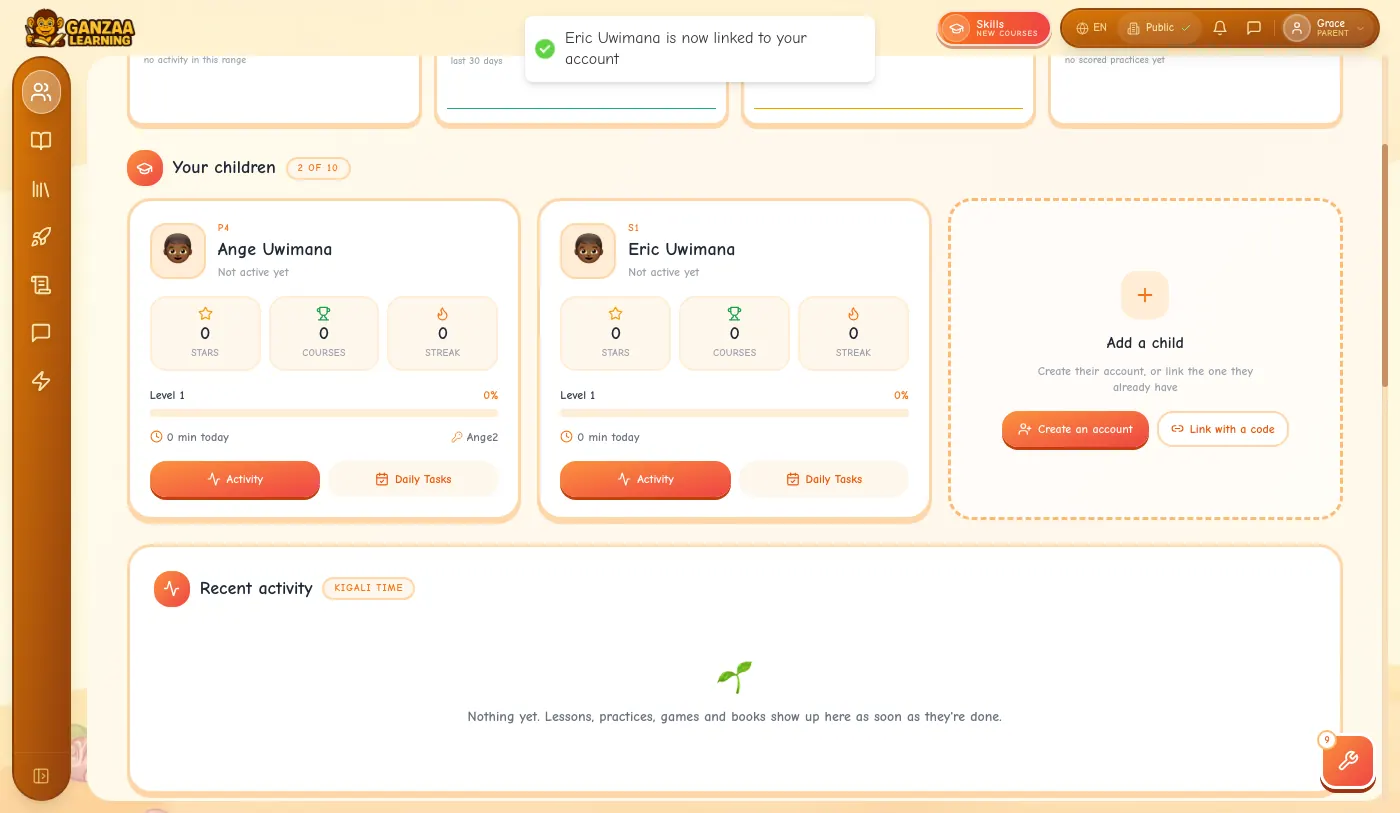
Step 3: Your child appears on My Children.
- Each code works once. If Ganzaa says the code is wrong or has expired, ask your child for a new one.
- After 10 wrong tries, wait a few minutes before trying again.
- Both parents can follow the same child: each makes their own parent account and uses their own code.
3.Your child signs in
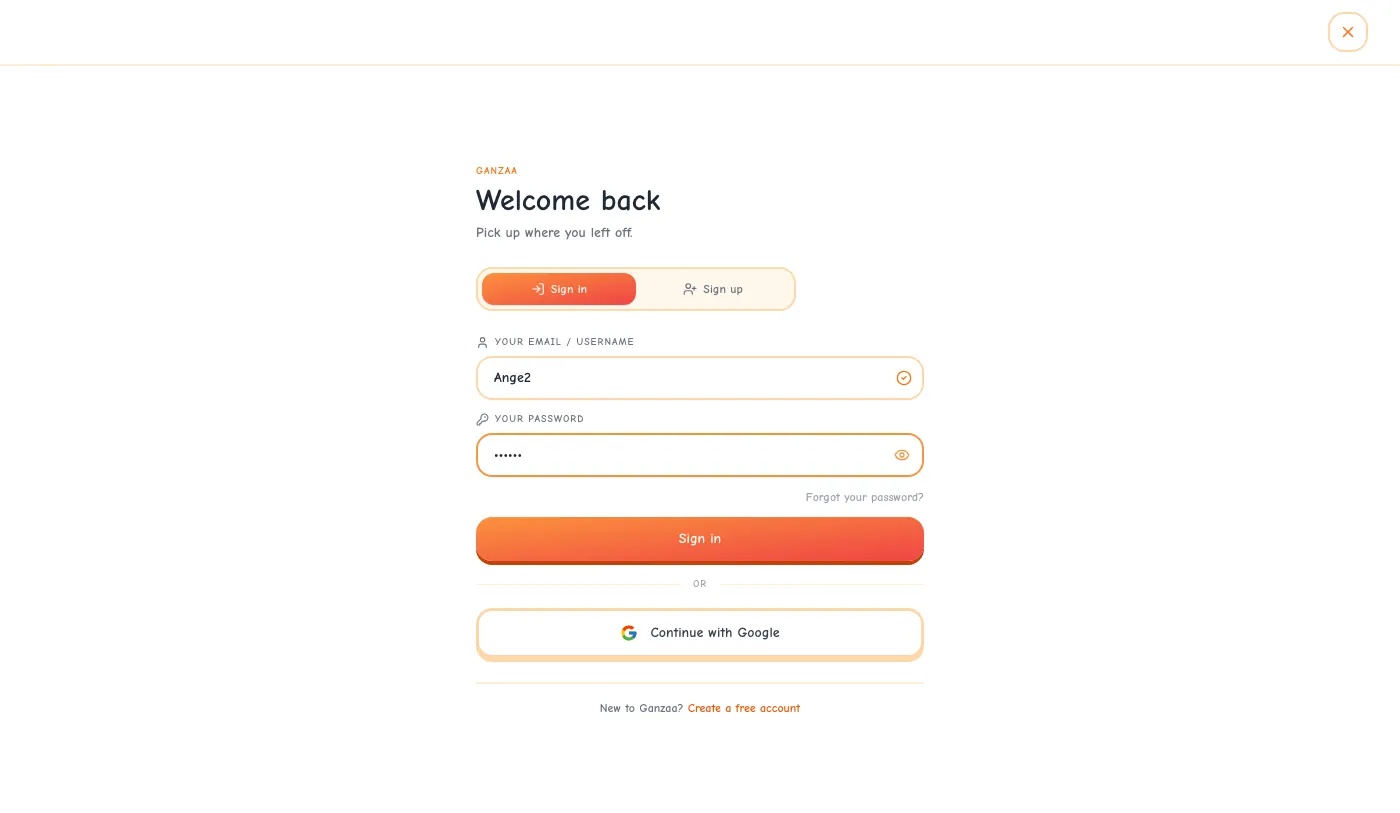
Step 1: On ganzaa.org, tap Sign In. In Your email / username, type the username (capital letters don't matter), then the password, and tap Sign in.
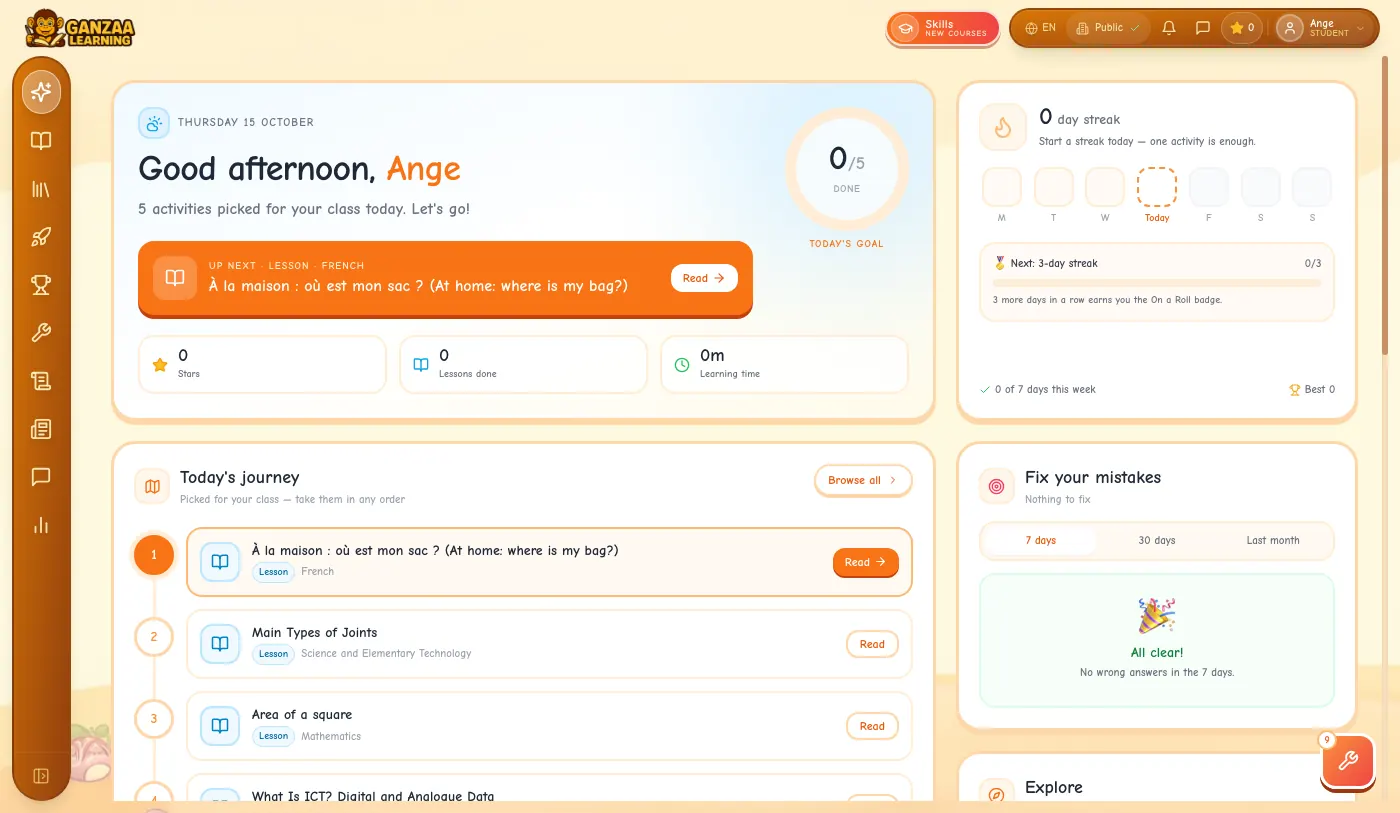
Step 2: They start on their Today page, with lessons picked for their class. There are no questions to answer first.
4.Follow what they do
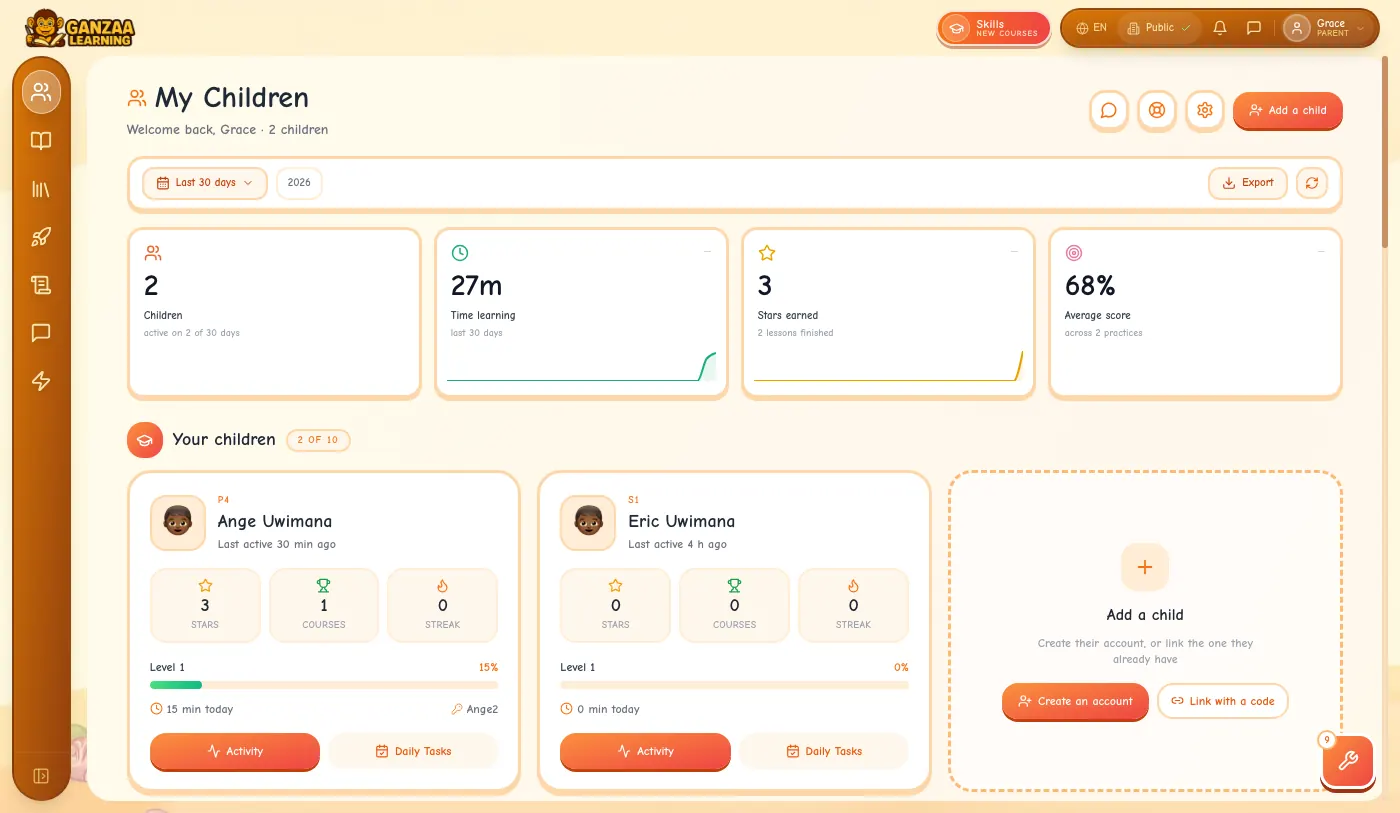
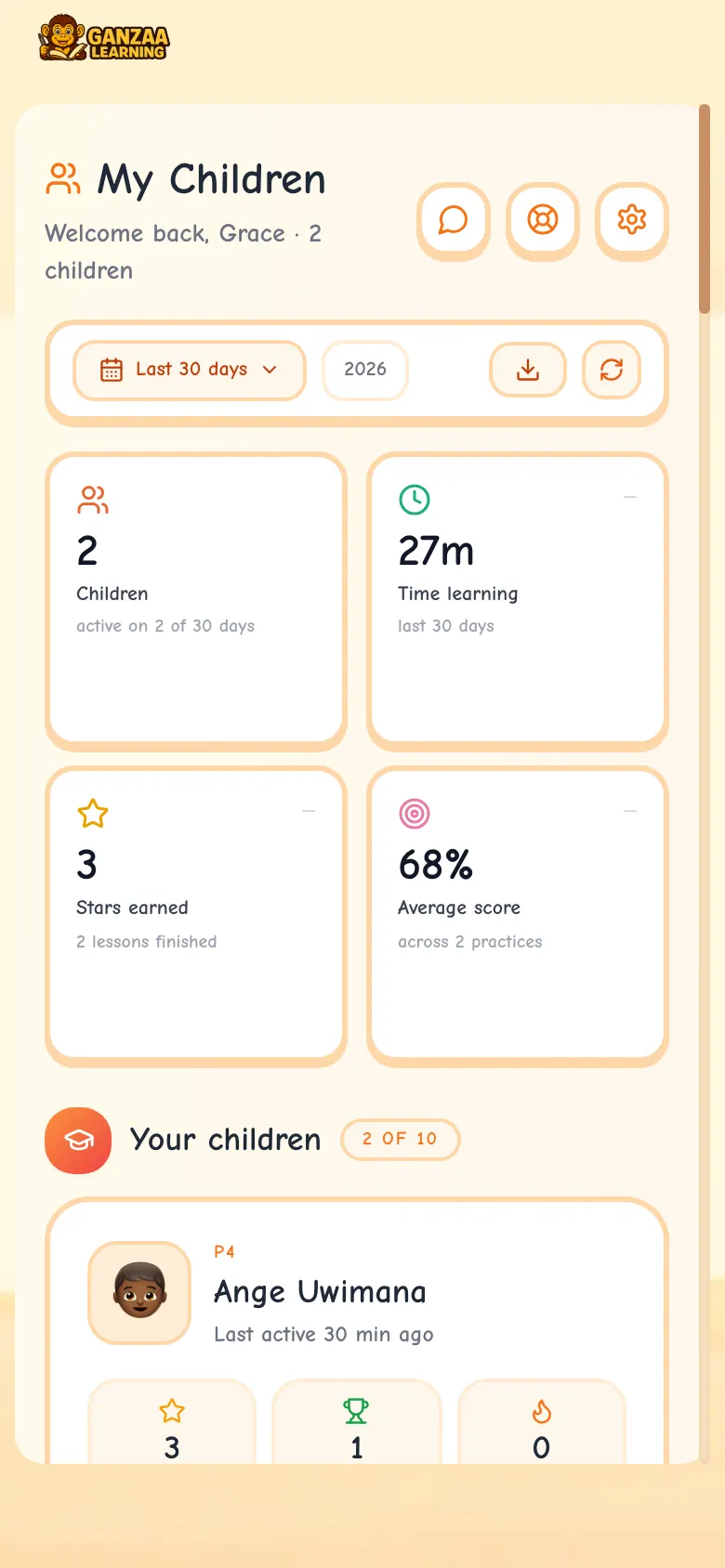
Step 1: My Children opens with your family's numbers for the period you choose (the last 30 days to start with): time learning, stars, lessons finished and average score. Tap the date button to change the period; Export downloads the numbers, for example as a spreadsheet.
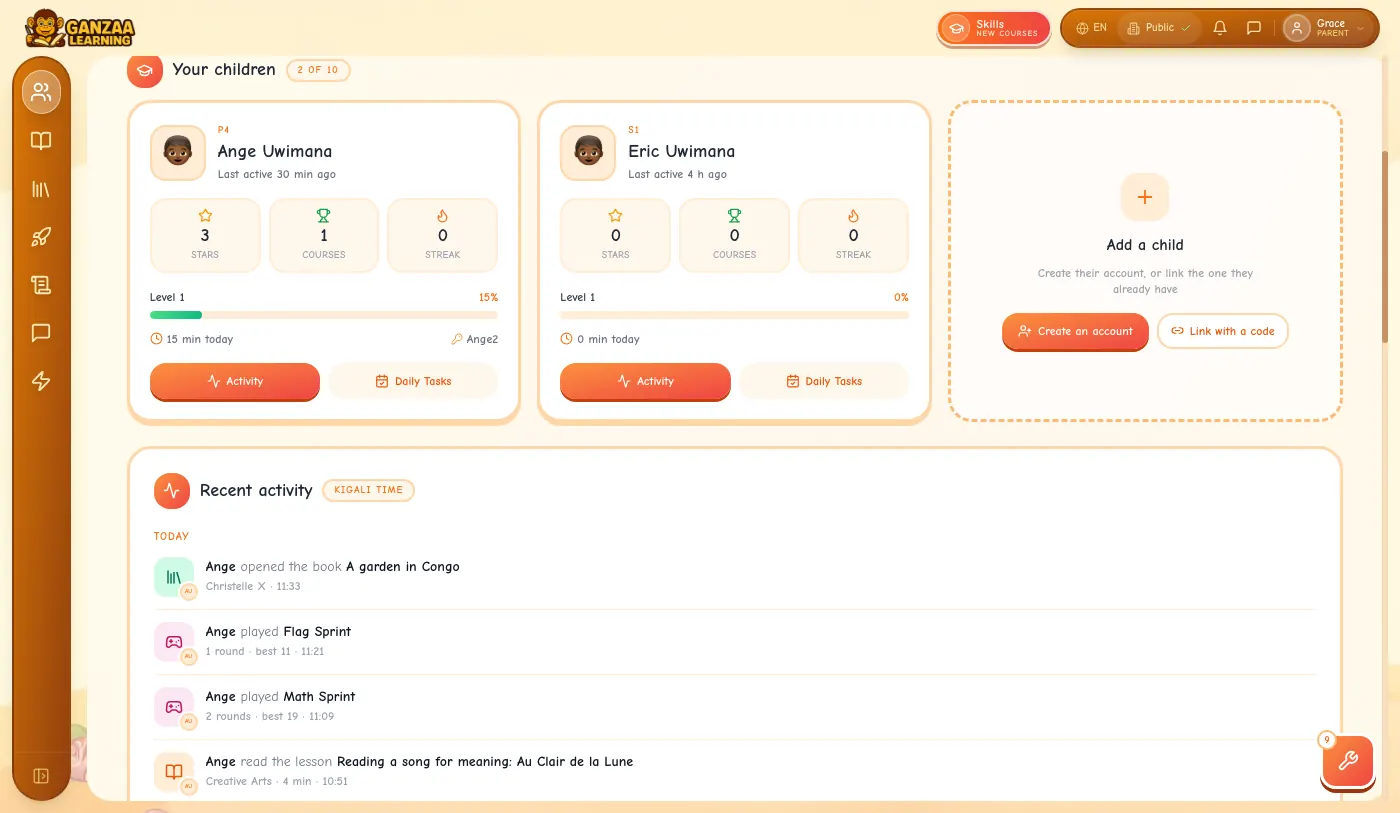
Step 2: Each child has a card: their class, when they were last active, their stars, courses, streak and level, their minutes today and the username they sign in with.
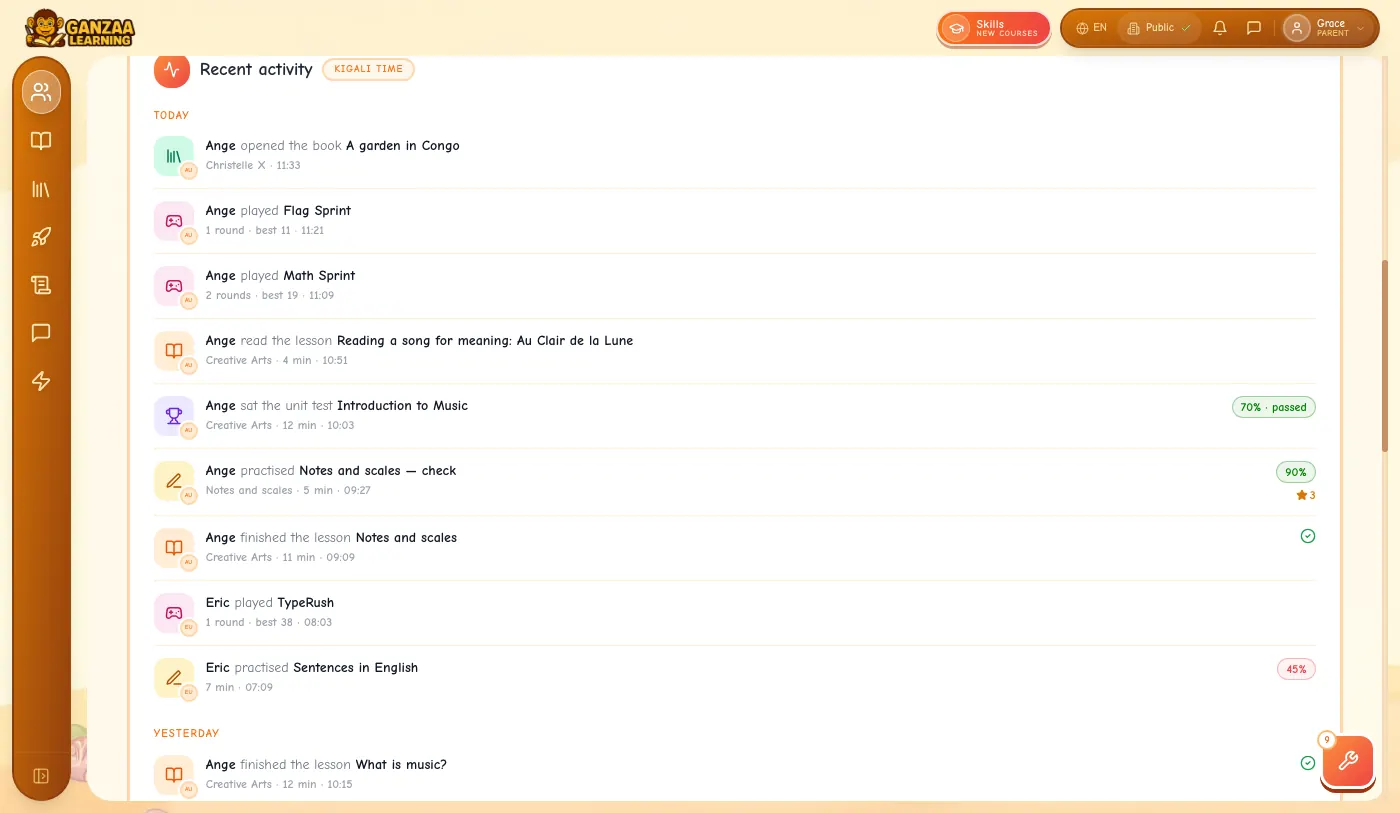
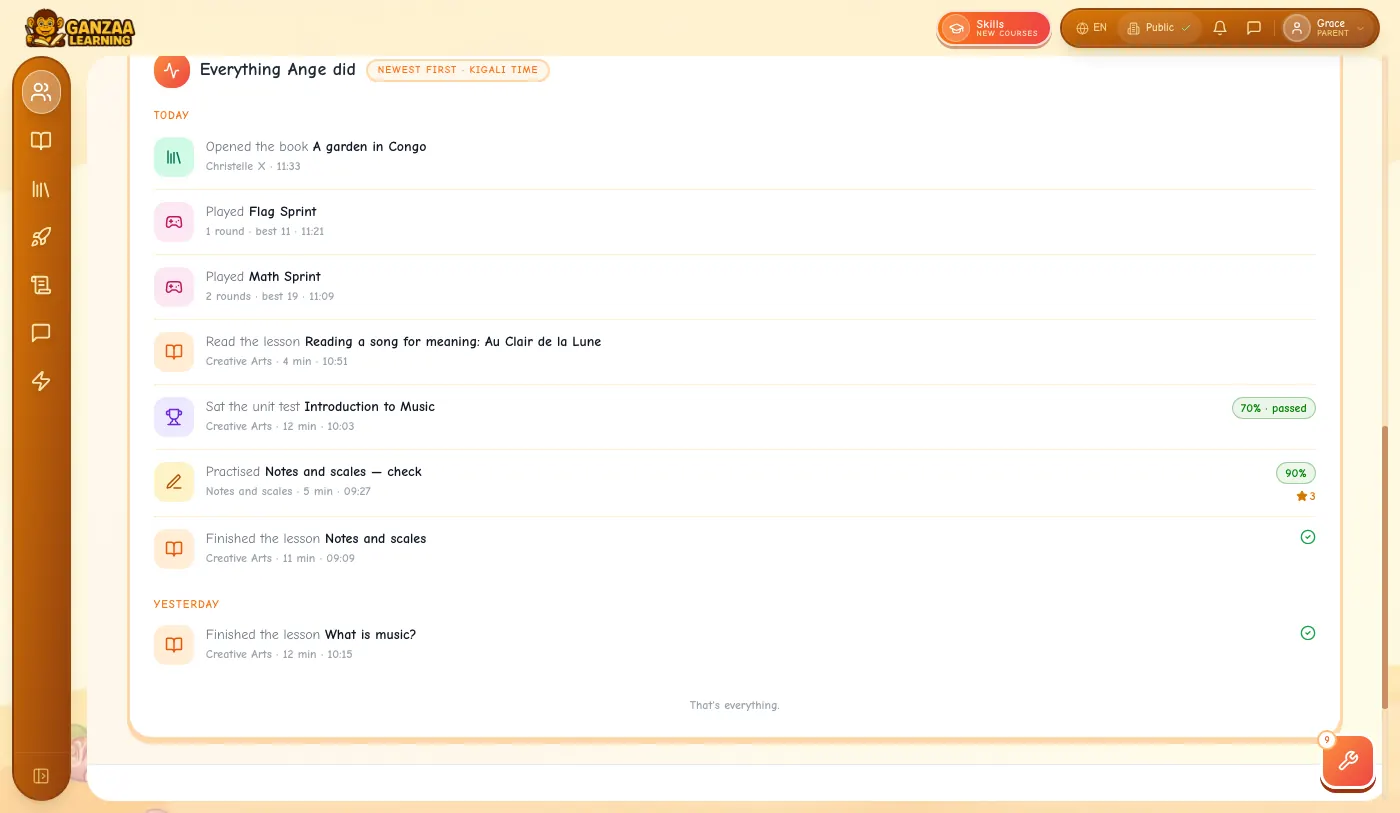
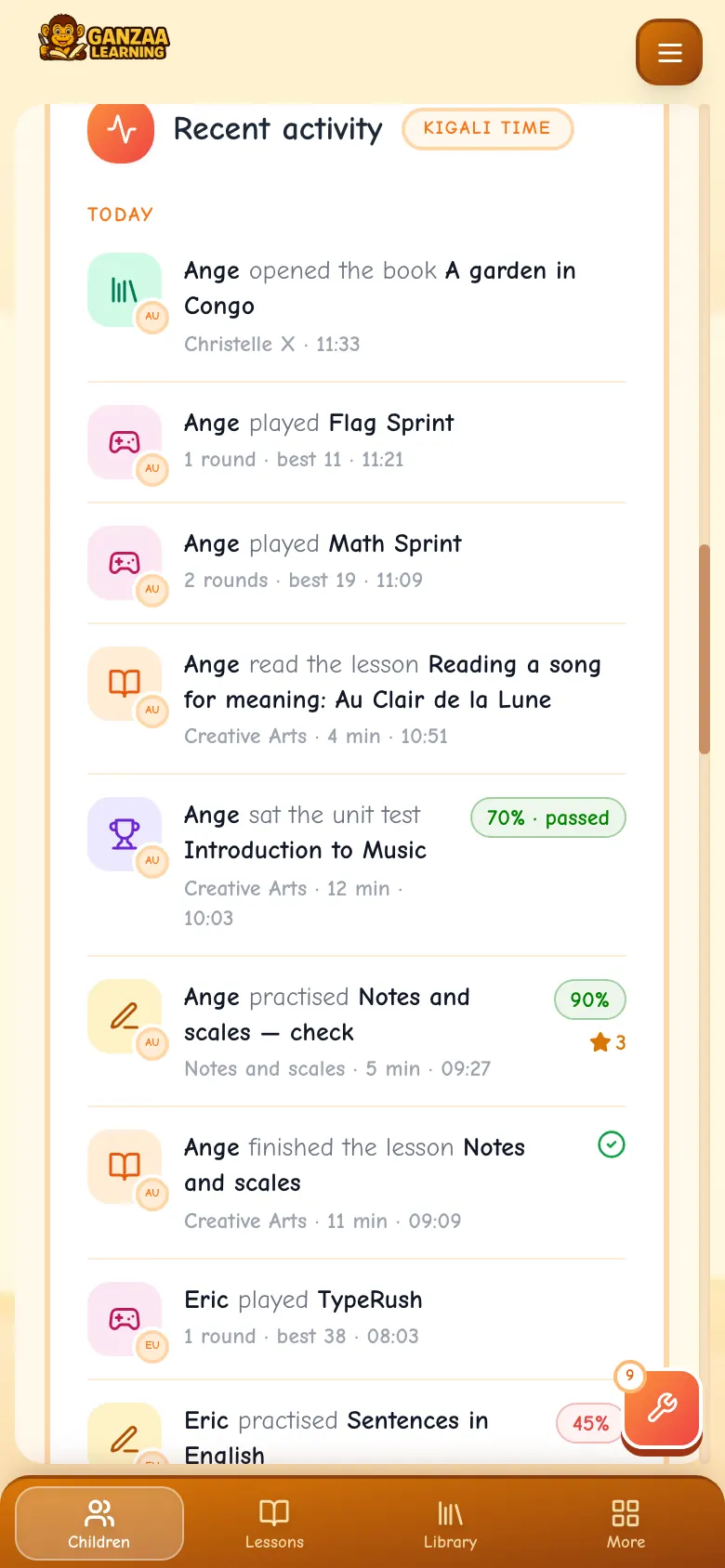
Step 3: Recent activity lists what they did, newest first and grouped by day: lessons read and finished (with minutes), practices, quizzes, unit tests and past papers with their scores, games, library books and Skills lessons.
Step 4: Under Performance, charts show time spent each day, the work completed, time per child and time per subject.
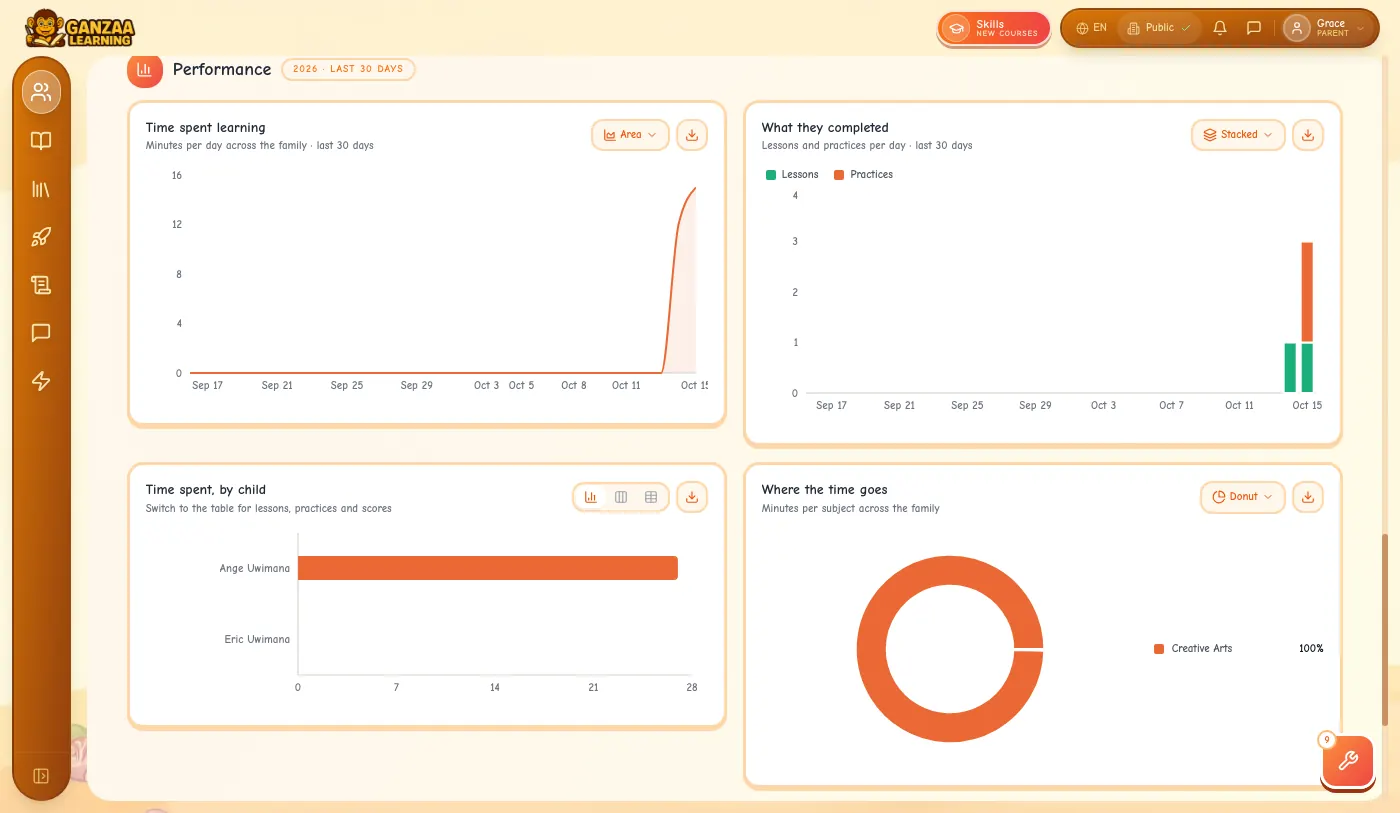
- Scores are coloured green, amber or red, and the words say whether a test was passed. You never need the colours alone.
5.Look at one child
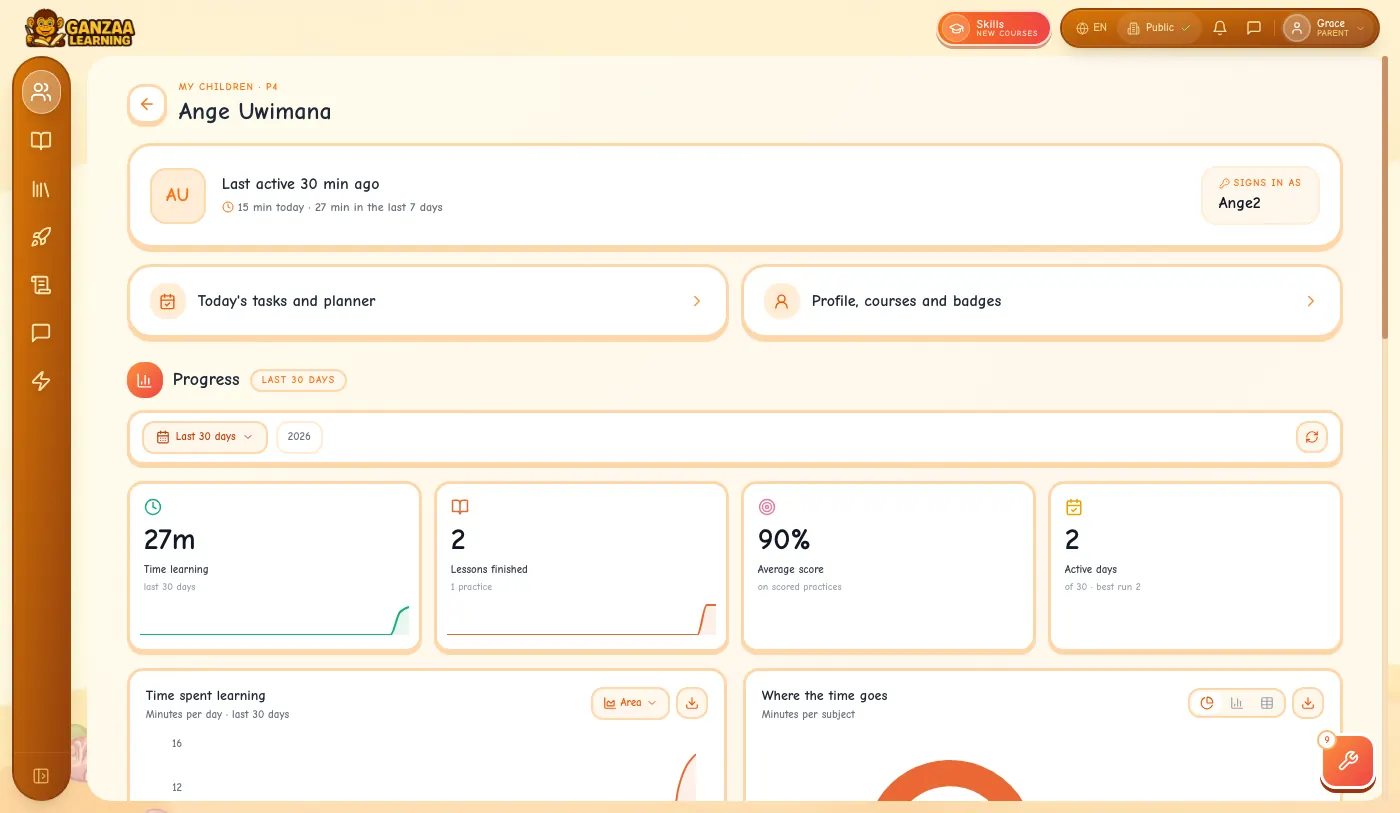
Step 1: Tap Activity on a child's card. You see when they were last active, their time today and this week, how they sign in, and their numbers and charts for the period you chose.
Step 2: Below is everything they did, newest first. Tap Show older activity to go further back.
Step 3: Daily Tasks on the card opens your child's learning path for today and their planner.
6.Message their teachers
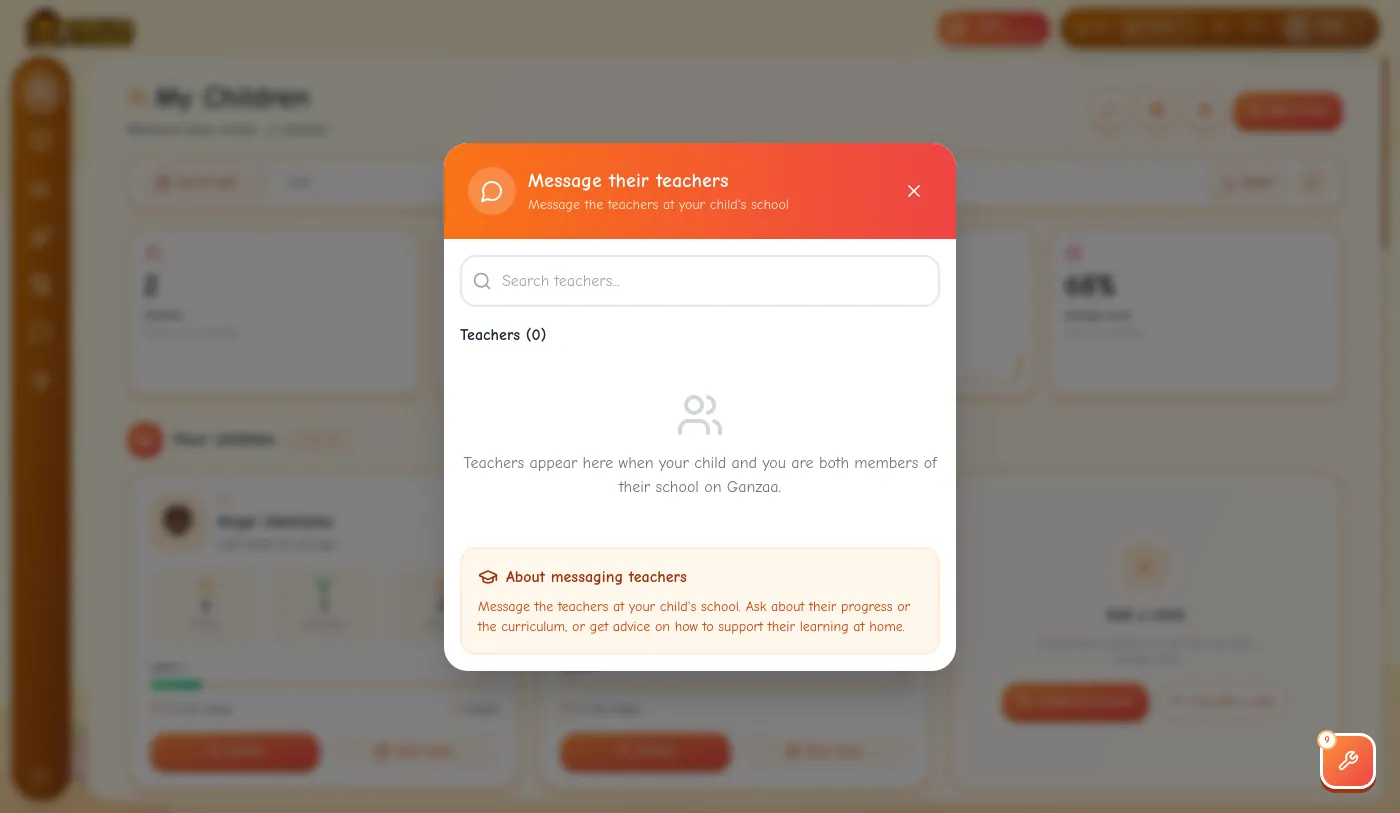
Step 1: Tap the speech-bubble button at the top of My Children. It lists the teachers at your child's school when you and your child are both members of that school on Ganzaa. Choose a teacher to open a chat.
7.On a phone
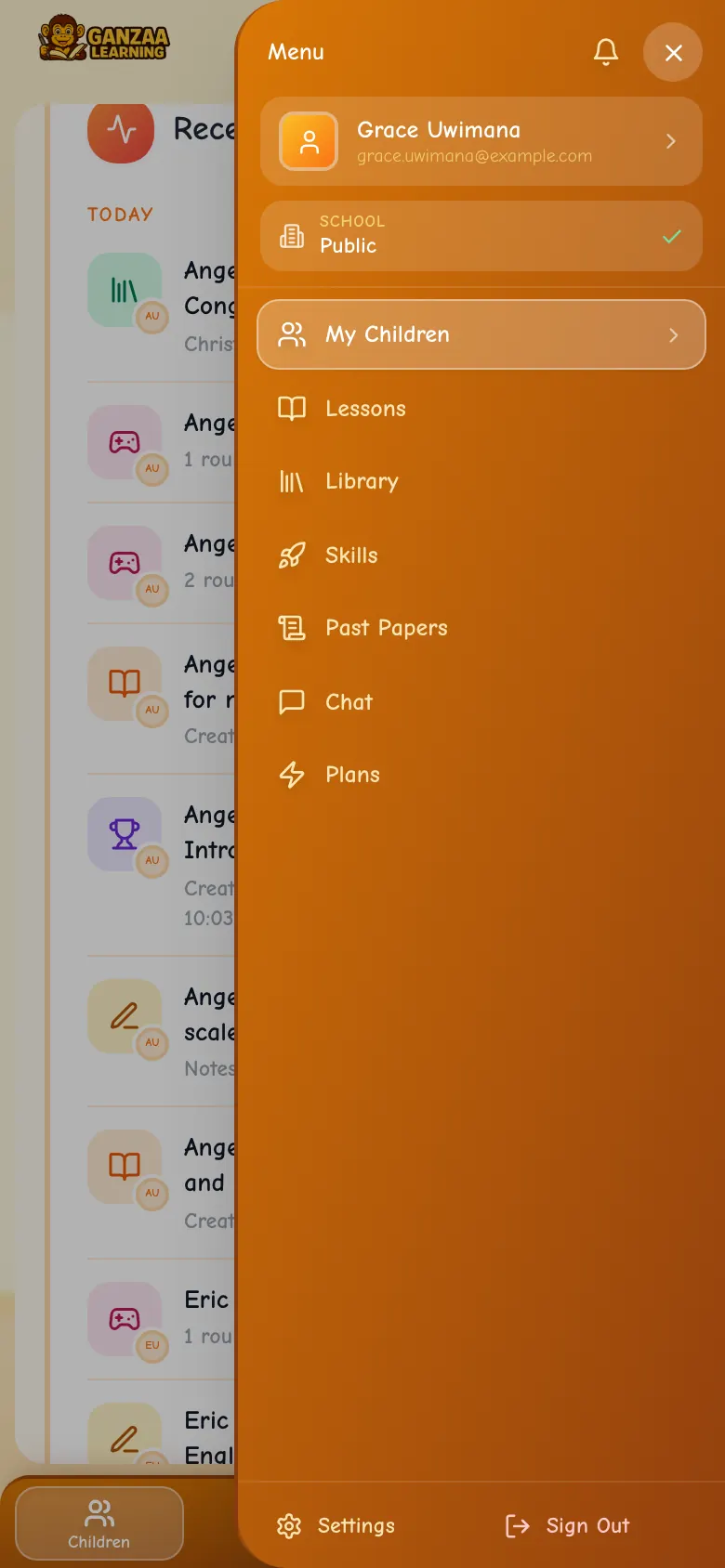
Step 1: Everything works in your phone's browser. The bar at the bottom has Children, Lessons, Library and More; More opens the whole menu.
8.Your profile and settings
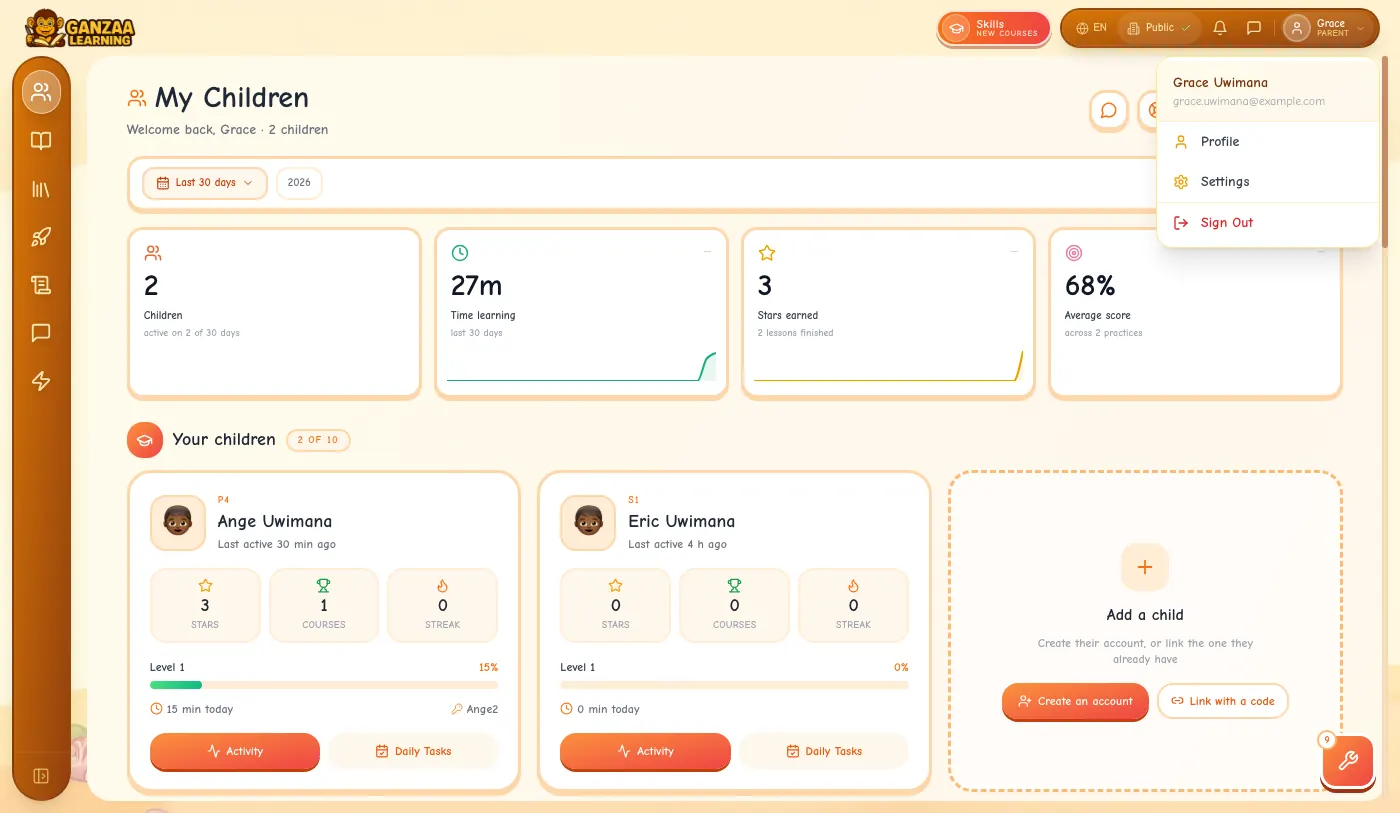
Step 1: Tap your picture at the top right for Profile, Settings and Sign Out.
Step 2: On a phone, the button at the top right opens the menu: tap your name at the top for your profile; Settings and Sign Out are at the bottom. Settings → Family lists your children.
Who can see your child
- Only a parent linked to a child sees that child on My Children. Another parent can't look them up.
- An account that already exists can only be linked with a code, and only your child can make one.