Loading article…

Six free browser tools for the projector or your phone: timer, whiteboard, calculator, periodic table, binary converter and to-do list. No account.
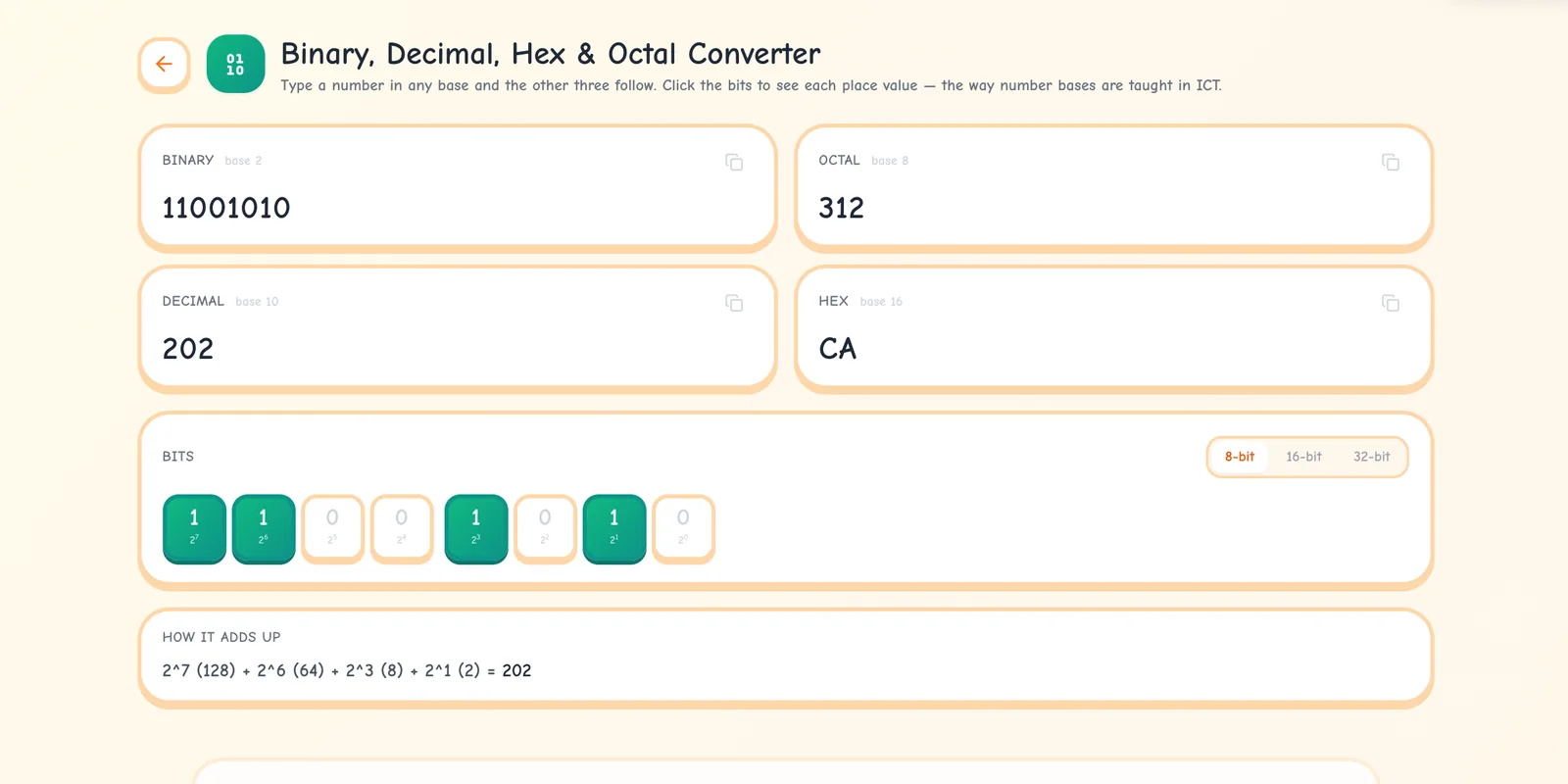
Open Ganzaa's binary converter and it is already showing a number: 202. The four boxes read 11001010 in binary, 312 in octal, 202 in decimal and CA in hex. Under the grid of bits is one more line:
2^7 (128) + 2^6 (64) + 2^3 (8) + 2^1 (2) = 202
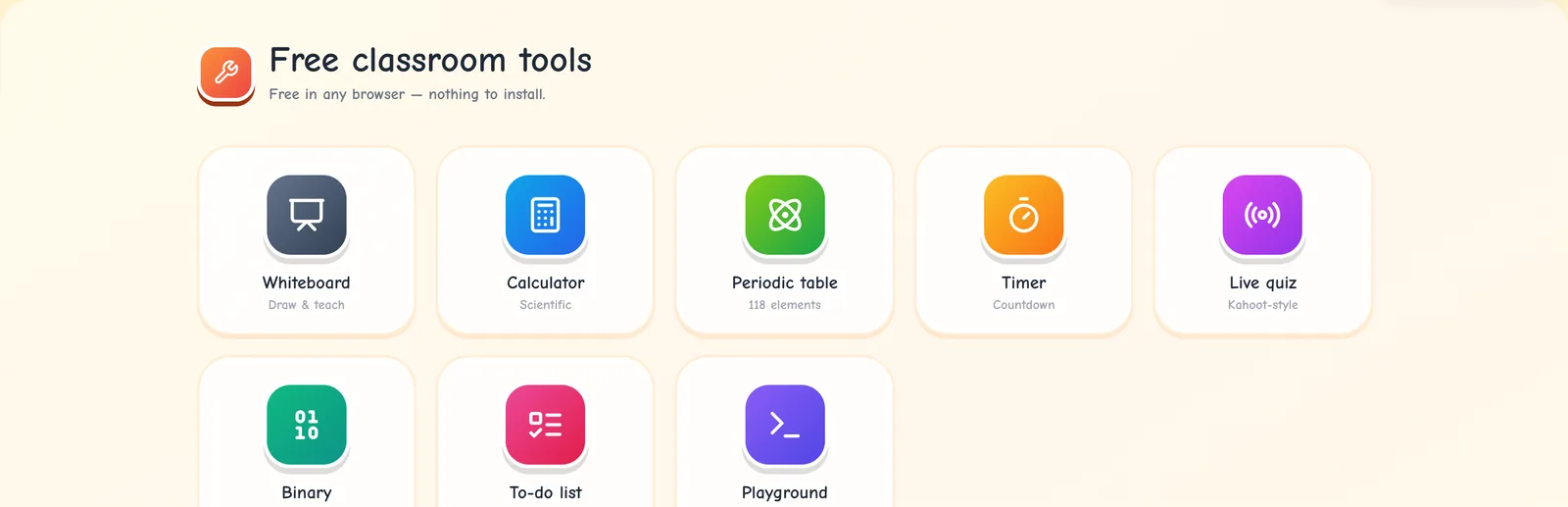
The tool shows the working as well as the answer. That is the idea behind the tools at ganzaa.org/tools. This post covers the six that need no account: a timer, a whiteboard, a scientific calculator, a periodic table, the binary converter and a to-do list. Each one is free and runs in the browser, on a projector, a laptop or your phone. Here is what each one does, a way to use it in a lesson this week, and what it keeps on your device.
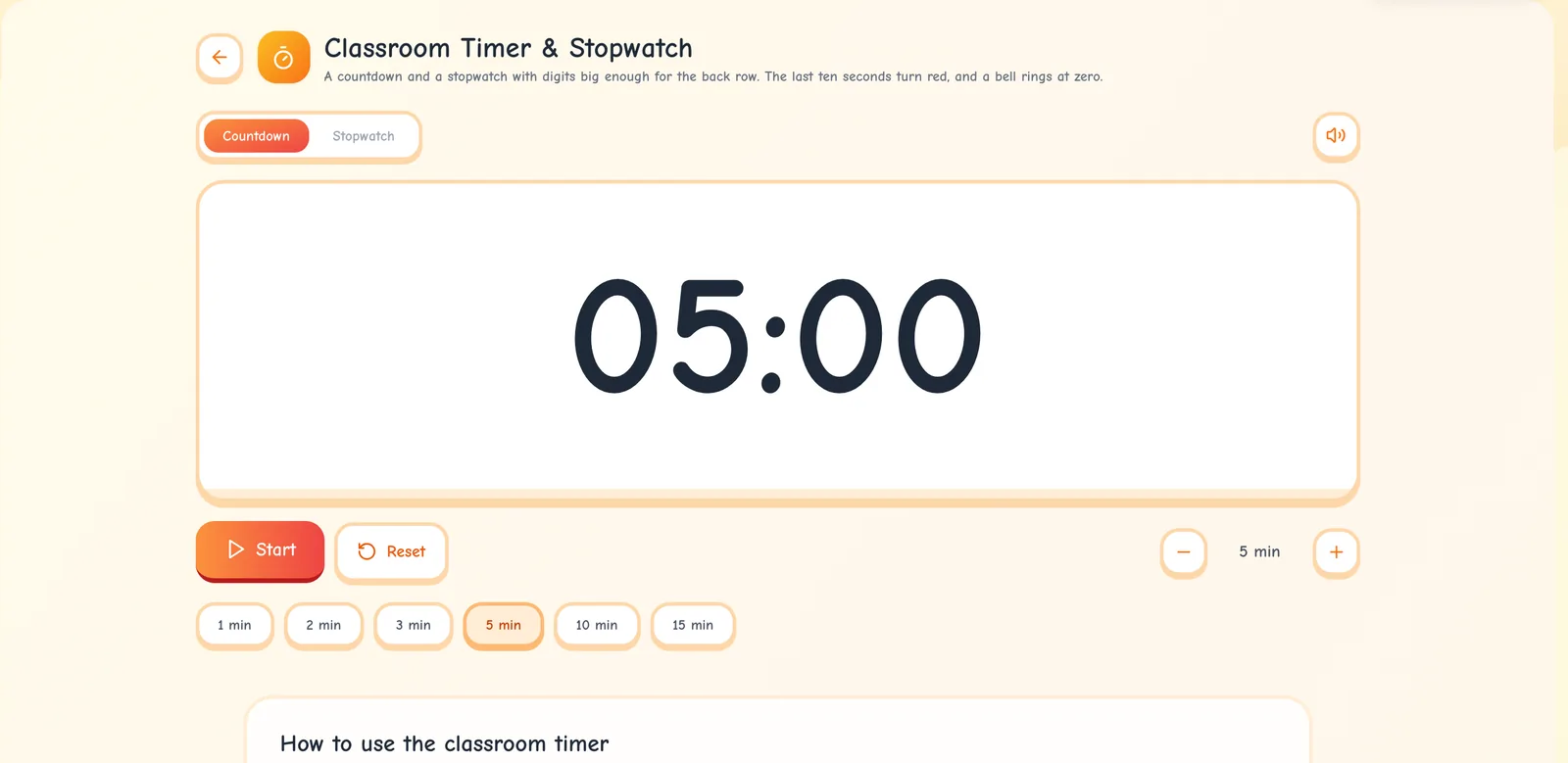
The classroom timer has a countdown and a stopwatch. The presets are 1, 2, 3, 5, 10 and 15 minutes, and the plus and minus buttons change the time a minute at a time. In the last ten seconds the card turns red. At zero it flashes, says "Time's up!" and plays a three-note chime, which you can mute. It keeps flashing until you press Reset, so a class that wasn't watching still notices. Space starts and stops it, and R resets it. It counts against the computer's clock, so it stays right while you switch tabs to show the lesson.
One way to use it is a timed review. In his summary of research on teaching, Barak Rosenshine puts this principle first: "Begin a lesson with a short review of previous learning: Daily review can strengthen previous learning and can lead to fluent recall." He describes an experiment in elementary school mathematics in which teachers "were taught to spend eight minutes every day on review", and their students "had higher achievement scores than did students in other classrooms."
To set eight minutes, press 10 min, then the minus button twice. Write three questions from yesterday's lesson on the board, press Space, and go through the answers when the chime sounds.
The whiteboard works with a mouse, a finger or a stylus. Press Black and it becomes a dark green-black chalkboard, and dark ink turns to white chalk. There are seven backgrounds, including grid, graph paper, ruled lines and handwriting lines. Besides the pen there is a highlighter, an eraser that rubs out only what it touches, and lines, arrows and shapes, solid, dashed or dotted. You can select what you drew and move it.
A board can have up to 20 pages, and full screen fills the projector. When you finish, download the current page as a PNG picture or every page as one A4 PDF.
Pages suit worked examples. Rosenshine describes a worked example as "a math problem for which the teacher not only has provided the solution but has clearly laid out each step", and says worked examples "allow students to focus on the specific steps to solve problems and thus reduce the cognitive load on their working memory." Work one problem step by step on page 1. Put a similar problem on page 2 for the class to try. Afterwards, the PDF gives anyone who was absent a copy of both.
Type a number into any of the four boxes (binary, octal, decimal or hex) and the other three follow. The bit grid can be 8, 16 or 32 bits wide. Each bit is labelled with the power of two it stands for, the bits sit in groups of four, and clicking one switches it on or off. The numbers stay exact: 32 ones give 4294967295, with no rounding.
On Ganzaa, number bases are taught in the S3 Mathematics unit Number Bases. Its lesson on converting between bases opens with the year 2026 written in base two: 11111101010. Type 2026 in the Decimal box. The 8-bit grid warns that 2026 needs more than 8 bits, so switch to 16-bit. The grid now reads 0000 0111 1110 1010. Read each group of four as one hex digit and you get 0, 7, E and A, and the Hex box shows 7EA. That is the lesson's shortcut between base 2 and base 16, on the projector.
It can also check past paper answers. Question 4 of NESA's 2025 S3 Mathematics I paper, worth 3 marks, says: "Work out and fill in the missing numeral. (1010111)₂ + (1101)₂ = (……)₁₀". Give the class three minutes on the timer. Then type 1010111 in the Binary box (it shows 87) and 1101 (it shows 13), so the answer is 100. The paper's cover says "Show clearly all the working steps where it is necessary", so my advice is to use the converter to check the working, never to replace it. The paper is on Ganzaa's S3 Mathematics past papers page.
One limit: the unit also covers bases 5 and 12, and the converter only handles bases 2, 8, 10 and 16.
On the scientific calculator you type a whole expression, such as 2sin(30)+√(16), and the answer appears in grey as you type. Angles are in degrees unless you switch to radians, and that choice is remembered on the device. In degree mode, sin(180) gives exactly 0 and tan(90) gives "Math error". It also has powers, roots, logs, factorials, nCr and nPr. A tape keeps your last 40 calculations, and tapping a line puts its answer back into your sum.
It fits the S3 unit Right-Angled Triangles, which asks students to find the sine, cosine and tangent of an acute angle "with a calculator and from exact triangles". On the projector, press sin and type 30, and the preview shows = 0.5 before anyone presses =. The class can compare that with the exact value from the triangle.
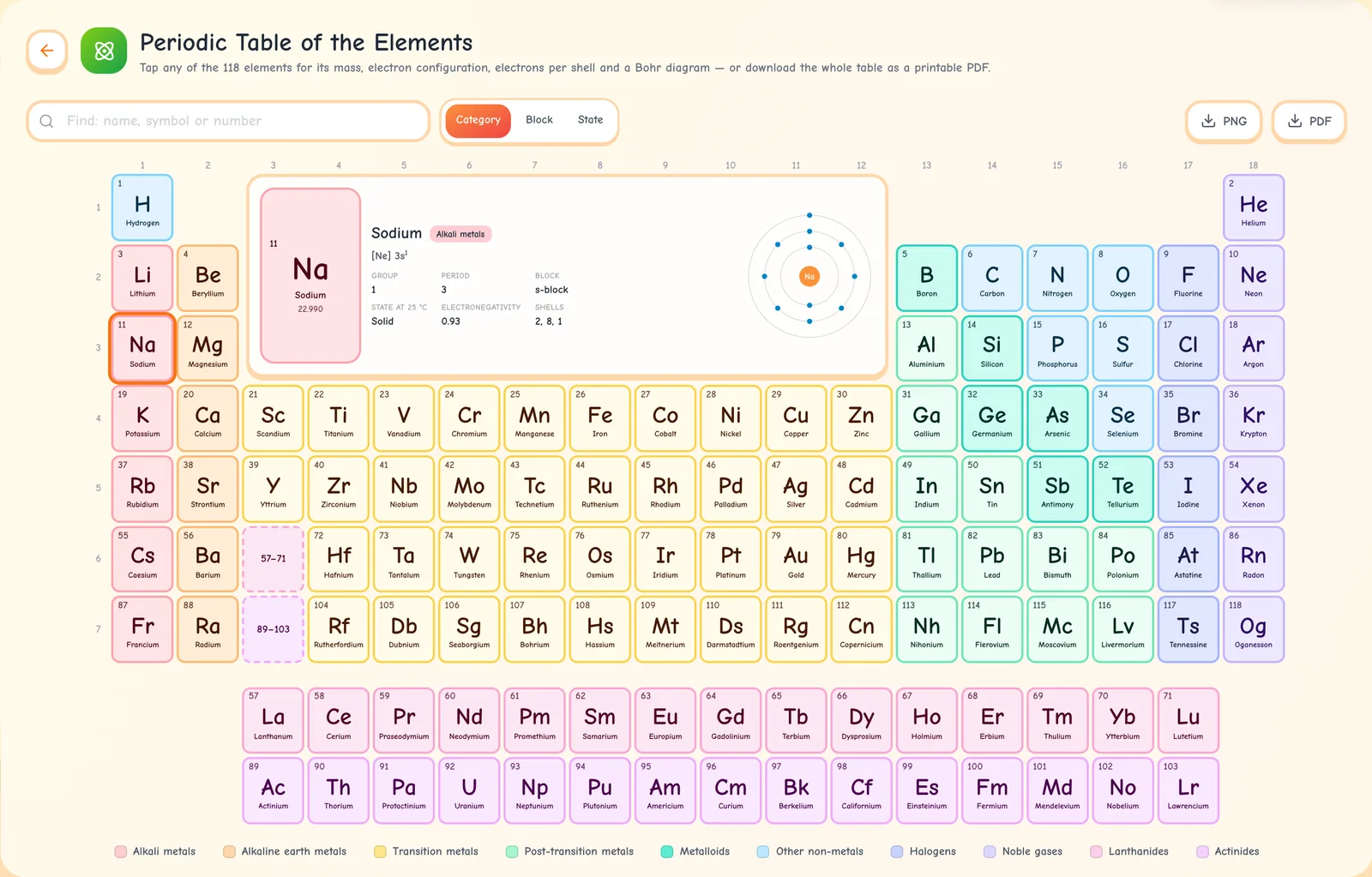
The periodic table has all 118 elements. Tap one to see its atomic mass, electron configuration, electrons per shell in the 2, 8, 1 form, a Bohr diagram, its group, period and block, its state at 25 °C and its electronegativity. You can colour the table by category, block or state, search it, and download it as an A4 PDF or a PNG.
Ganzaa's S1 Chemistry lesson Electronic Configuration of the First 20 Elements starts with a question: why do lithium, sodium and potassium behave alike, when they have 3, 11 and 19 electrons? Tap each one in turn. The shells read 2, 1, then 2, 8, 1, then 2, 8, 8, 1. Ask the class what the three have in common before you tell them. Then tap Alkali metals in the key under the table, and every other element fades.
The to-do list is a private checklist for a lesson or a school day. Add a task, tick it off, drag tasks into order, and clear the finished ones in one go.
| Tool | What it keeps | Where |
|---|---|---|
| Timer | Nothing. A reload starts again at 5 minutes | Not saved |
| Calculator | Only your choice of degrees or radians. The tape clears when you reload | This browser |
| Binary converter | Nothing | Not saved |
| Periodic table | Nothing | Not saved |
| Whiteboard | Every page of your board | This browser |
| To-do list | Your tasks | This browser |
So the board and the list live in one browser on one device. Ganzaa doesn't keep them in your account, and they won't follow you to another computer. Download the PDF if you need the board somewhere else. A very large board can be too big to keep after a reload, and the page tells you when that happens.
Take care on shared computers. If you're signed in, each account gets its own board and list in that browser. If nobody is signed in, everyone who opens the tools in that browser sees the same board and the same list. On a staffroom computer, sign in, or clear both before you leave.
With live quizzes, your class answers your questions on their phones. Hosting needs a free account, but players join with a PIN and just a name. Groups, for teachers only, splits a class into working groups, and each student then sees their own group on the subject page. Once you're signed in, a wrench button in the bottom-right corner of the app opens these tools over the page you're on, so you can start the timer without leaving the lesson.
Open the timer and try the eight-minute review: press 10 min, press minus twice, then press Space. Then bookmark ganzaa.org/tools on the classroom computer, so the whiteboard, the binary converter and the periodic table are one click away in your next lesson.
Ganzaa is Rwanda's online learning platform — free for individual students, with REB-aligned practice and past papers. Schools get the first term free.
15 free games: what each one practises, the class it suits, which need no account, how to play a friend live, and how to make a round count.
Host a free live quiz on Ganzaa: students join on any phone with a PIN, points run from 500 to 1,000, and research shows why quizzing helps memory.